
Before you read the answers
- Work out actual minus budget for each cost line.
- Round only for display and keep the unrounded variance.
- Check the control total by a second method.
All examples use original synthetic data. Source row numbers and column letters are shown so you can reproduce the formulas.
What a budget versus actual check shows
For each cost line, work out the variance between budget and actual before you do anything else with it.
USD for a fictional November 2026 workshop. Variance = actual minus plan; positive means expense over budget.
| Row | A · Expense | B · Plan (USD) | C · Actual (USD) | D · Variance: your formula | E · Variance %: your formula |
|---|---|---|---|---|---|
| 8 | Venue | 1800 | 1950 | Blank task cell | Blank task cell |
| 9 | Materials | 750 | 640 | Blank task cell | Blank task cell |
| 10 | Travel | 600 | 720 | Blank task cell | Blank task cell |
| 11 | Refreshments | 400 | 380 | Blank task cell | Blank task cell |
| 12 | Accessibility | 0 | 240 | Blank task cell | Blank task cell |
| 13 | Printing | 250 | 250 | Blank task cell | Blank task cell |
Worked solution and complete results
Venue variance · D8
=C8-B8Result: 150
Materials variance · D9
=C9-B9Result: -110
Travel variance · D10
=C10-B10Result: 120
Refreshments variance · D11
=C11-B11Result: -20
A mistake to catch
Rounding the variance before dividing by budget, so a later percentage no longer matches the unrounded figure.
Correction. Keep the variance unrounded in its own cell, round only the presentation column, then check that the rounded lines still reconcile to the control total.
Read the result
A positive variance means actual is above budget for that line; a negative one means it is below. The percentage tells you whether the gap is material relative to the budget, not whether it is good or bad, which depends on the line.
What should you practice first for finance work?
Start with arithmetic and percentages on the layouts you will actually meet: revenue, cost, margin, variance and share of total. Write each line as a row calculation, never as a total divided by another total, so one rate change moves exactly one row. The arithmetic lesson covers this ground.
Then move to cell references. Relative, absolute, mixed and named references are where copied finance sheets break, because a formula that reads correctly in one cell can shift its source when filled across or down. Lock the input cell before you copy anything, and check the formula bar in the second column after filling.
Next, practice SUM, AVERAGE and COUNT on a clean table, then SUMIFS, COUNTIFS and AVERAGEIFS on the same table with criteria. Microsoft documents the criteria arguments on its SUMIFS page, which is worth reading once before you start testing date and text criteria.
Add IF, nested IF and IFS for bands and checks, then exact-match lookups with XLOOKUP, VLOOKUP and INDEX with MATCH. Test missing keys and duplicate keys before you call a lookup finished. Rounding and sign handling come after that, with ROUND, ROUNDUP, ROUNDDOWN, INT and ABS, and text cleaning for imported data comes last.
- Arithmetic and percentages on a finance layout.
- References, including mixed and named, before any copying.
- SUM, AVERAGE and COUNT on a clean table.
- SUMIFS, COUNTIFS and AVERAGEIFS with one criterion, then two.
- IF, nested IF, IFS and IFERROR for bands and missing values.
- Exact-match lookups, tested with missing and duplicate keys.
- Rounding and sign handling at the presentation step.
- Text cleaning with TRIM, LEFT, RIGHT, MID, TEXTSPLIT, VALUE and EXACT.
How is finance Excel practice different from general practice?
Finance practice starts from a control question: does this figure reconcile to the source, and can you explain every adjustment? That changes what you drill. You practice sign conventions, rounding policy and a formula trail someone else can follow, not just the shortest formula.
Use layouts that look like finance work: a budget against actual, a cost center report, an invoice list, a bank reconciliation or an aged debt summary. Keep a clean input area and a separate calculation area so you can change one thing at a time and see what moved.
Applied guides give you the shape of the task. A budget versus actual walkthrough shows the variance layout, and a reconciliation walkthrough shows how to prove two lists agree before you report a difference.
How should a finance practice routine work?
Set a repeatable session. Pick one skill, use one worksheet, write the formula, predict the result out loud, then check it by a second method. A session that ends without a check has taught you to type, not to verify.
Keep a mistake log with the error type rather than the cell: wrong reference, number stored as text, early rounding, sign flip, criteria mismatch or lookup miss. After a few sessions the log tells you which skill to revisit, and that is more useful than a general feeling of progress.
Revisit the same skill later on different data so you cannot memorize the answer. A mix of sources keeps the routine honest: your own anonymised workbook, a downloaded sample, a lesson drill or a guided project. End each session by writing one sentence on what you would check first in a real finance file.
- Choose one skill and one worksheet.
- Predict the result before pressing Enter.
- Check it by a second method.
- Log the error type if it fails.
- Revisit the skill on fresh data within a week.
Which mistakes should finance practice catch?
Rounding too early is the most expensive habit. Round at the presentation step, then check that the rounded lines still reconcile to the control total. If they do not, the difference belongs in a stated adjustment, not hidden by changing the rounding.
Sign conventions come next. Decide once whether costs are negative or positive, write it at the top of the sheet, then apply ABS only when you mean to remove the sign. A flipped sign in a total is easy to miss and hard to explain.
Locked references, numbers stored as text and criteria mismatches follow. Check relative, absolute and mixed references before copying. Use ISNUMBER and COUNT to find text that looks like a number, and clean with TRIM before you trust a SUM. In SUMIFS and COUNTIFS, the sum range and each criteria range must be the same size, and Microsoft's guidance on correcting a #VALUE! error in SUMIF and SUMIFS covers the common causes.
Lookup traps are the last group: duplicate keys, missing keys, approximate match and a column index that moves when the source changes. Replace hardcoded values inside formulas with input cells so the model can be audited.
How do you check a finance formula by hand?
Predict the result before you press Enter, then compare the live result with your estimate. If they differ, the formula is wrong or your estimate is, and either way you have learned something before the figure reached a report.
Check one row at a time with a filter, then compare the filtered total with the formula result. Use a second method for the same figure: SUMIFS against a filtered SUM, XLOOKUP against INDEX with MATCH, or a pivot summary against a formula. Two methods that agree are stronger evidence than one formula that looks right.
Test the boundary cases: blank, negative, text, duplicate and missing. Trace precedents and dependents, and use Evaluate Formula when a nested IF or lookup returns the wrong branch. Reconcile a control total to the source before you format or chart anything.
- Predict the result, then enter the formula.
- Filter to one row and compare with the row formula.
- Rebuild the figure by a second method.
- Test blank, negative, text, duplicate and missing values.
- Reconcile the control total to the source.
What does a finance practice sheet need?
One clean data table with consistent headers, one row per transaction and no merged cells. A question area separate from the data, so you can write the formula without overwriting inputs. A check area with the expected result on another sheet or in a hidden column, so you can test yourself.
Use realistic finance columns: date, account, category, cost center, amount, sign and description. Include a mix of clean and messy rows, with blanks, duplicates, text numbers and trailing spaces, because finance files arrive that way. The cleanup steps in the imported data guide show how to handle the messy rows without breaking the table.
Reuse the same sheet with different data so the skill transfers. If you want ready-made source data, blank task cells and answer keys, the downloadable workbooks are one option.
How can you practice Excel for finance for free?
Use your own anonymised finance data: a budget, a bank statement, an invoice list or a timesheet. Rebuild a budget against actual, reconcile two lists or clean an imported file using the free guides. That is enough to practice every skill in the order above without paying for anything.
Excel Practice runs in the browser, so Excel does not need to be installed.
The lessons teach one function at a time and the projects combine several on one worksheet, so use lessons for drills and projects for control checks. The same skill returns later on different data, which supports the revisit step in the routine. A completion credential exists for signed-in, server-graded course completion; it is a Kinori Labs course-completion record, not an accredited qualification and not a Microsoft certification.
Practice the skills in order
- Arithmetic Referenced formulas keep calculations connected when the source data changes.Preview this task
- Absolute references Lock a shared rate so copied formulas still refer to the same cell.Preview this task
- SUMIFS Reports rarely ask one question. Adding the second condition is where the range order trips people up.Preview this task
This guide covers practice method for common finance spreadsheet skills. It does not cover tax, audit or investment advice, modelling standards for a specific employer, Power Query, macros or every Excel function.
Practice finance formulasContinue in a downloadable workbook
Budget variance practice
Explain signed expense variance, overspend and percentage variance without hiding a zero budget.
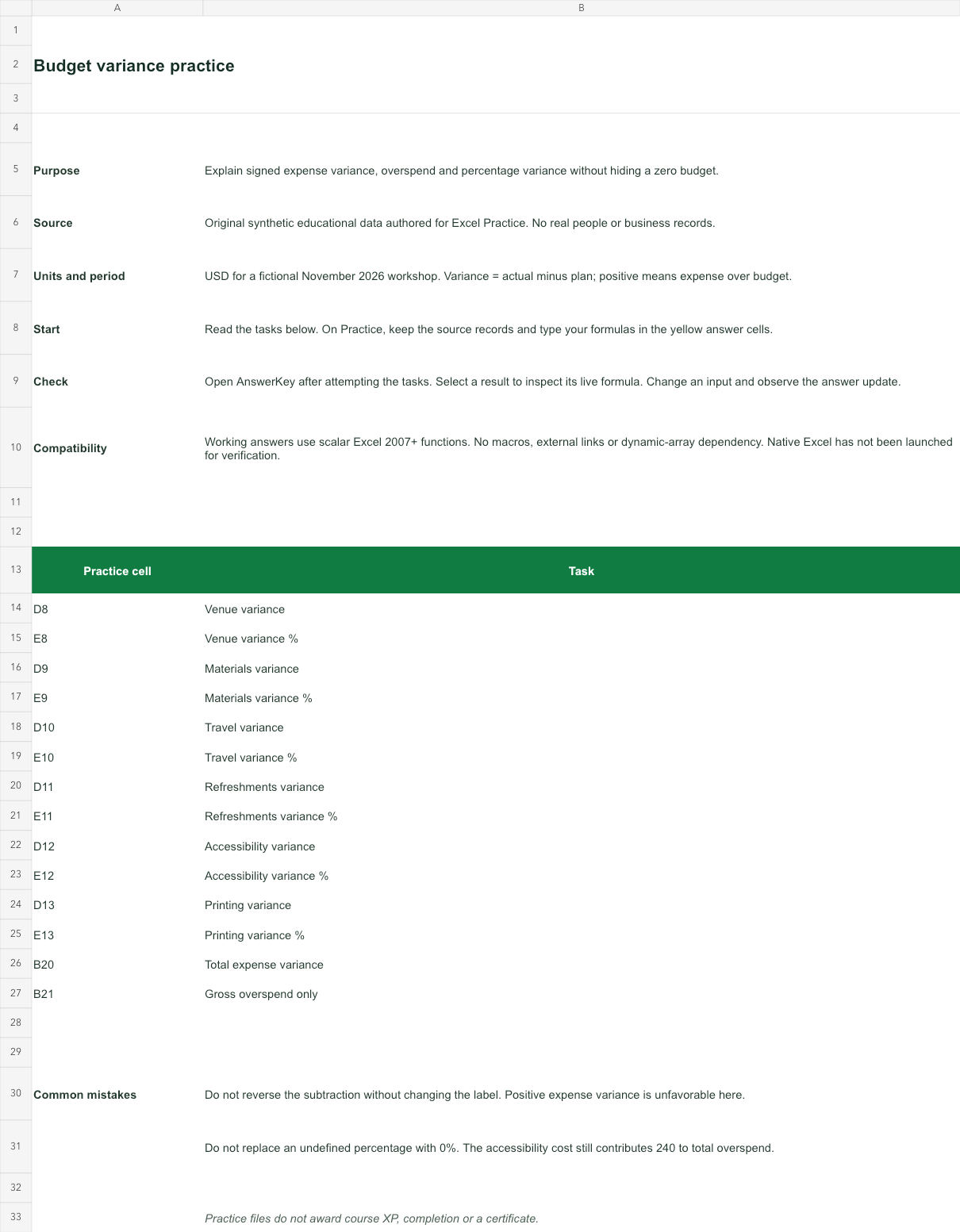
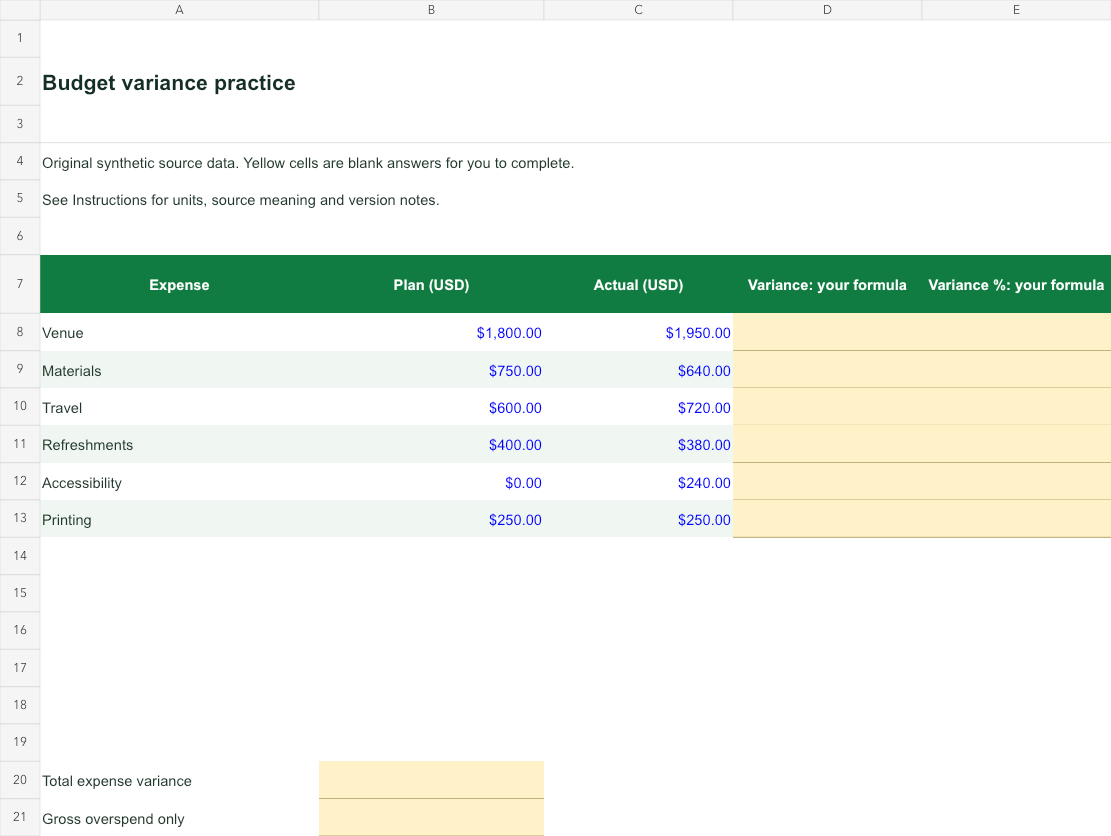
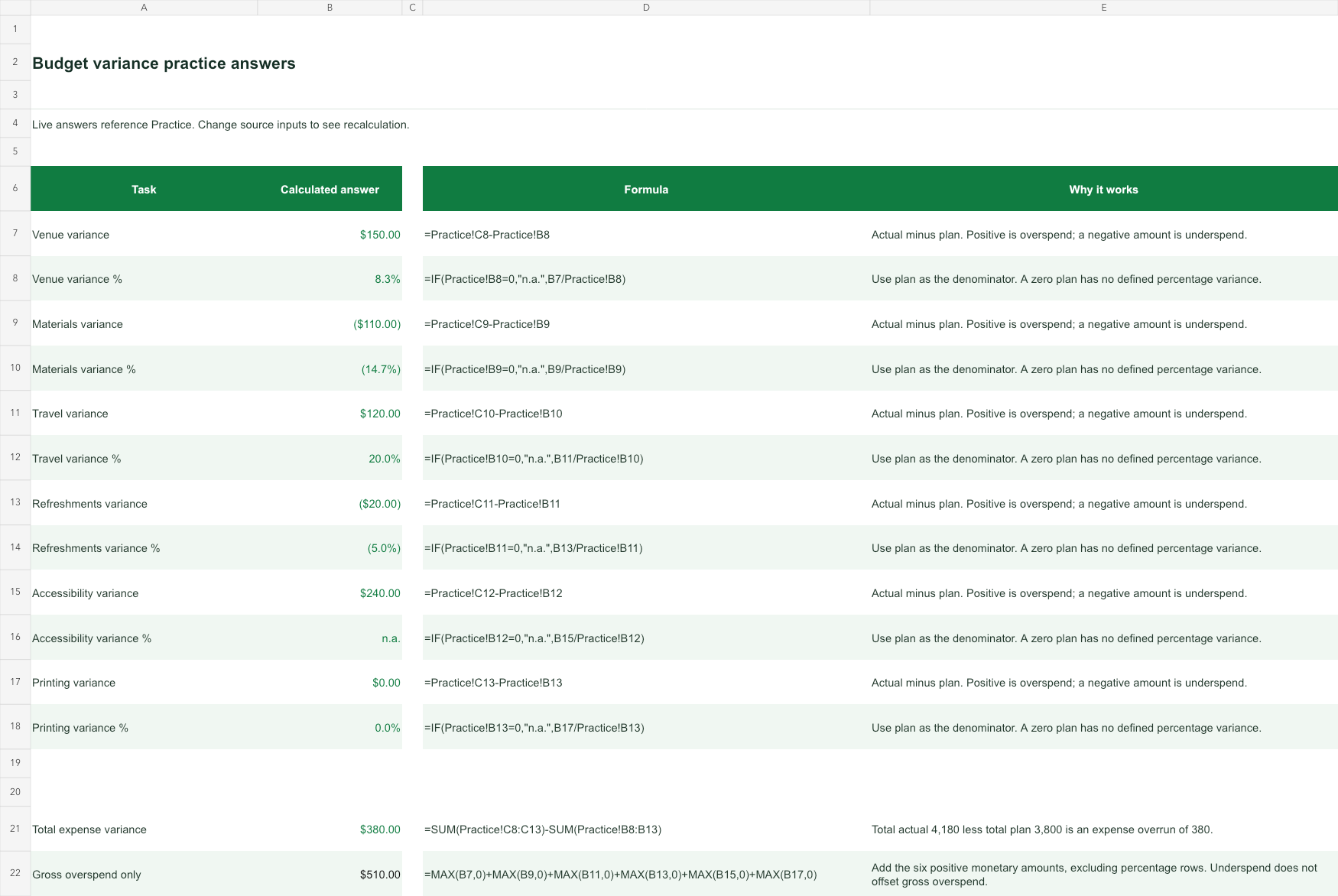
USD for a fictional November 2026 workshop. Variance = actual minus plan; positive means expense over budget.
Bank version 2026-11-02. Includes Instructions, Practice, AnswerKey; 14 live answer formulas. All source records are invented for education.
The download is an additional practice task. Its Instructions sheet identifies the source coordinates; this page’s illustrative example may use different records.
- Working answers use scalar Excel 2007+ functions. No macros, external links or dynamic-array dependency. Native Excel has not been launched for verification.
Further reading
- SUMIFS function Microsoft Support
- How to correct a #VALUE! error in SUMIF/SUMIFS Microsoft Support