
Before you read the answers
- Clean labels while keeping the raw source.
- Split the registration and region fields.
- Convert seat quantities and check the record count.
All examples use original synthetic data. Source row numbers and column letters are shown so you can reproduce the formulas.
Repair a registration extract
Clean each organization label. Split the first combined field into both cells, convert its seat quantity, and count source records.
Synthetic organization labels and seat quantities. The raw first seat field is exactly space, 0042, space.
| Row | A · Record ID | B · Raw organization | C · Registration | region | D · Seats as text | E · Clean name: your formula |
|---|---|---|---|---|---|
| 2 | CT-01 | " Aster workshop " | TR-401|East | " 0042 " | Blank task cell |
| 3 | CT-02 | "BIRCH STUDIO" | TR-402|West | " 18 " | Blank task cell |
| 4 | CT-03 | " cedar learning" | TR-403|North | 7 | Blank task cell |
| 5 | CT-04 | "DUNE LAB" | TR-404|South | " 0 " | Blank task cell |
| 6 | CT-05 | "elm group " | TR-405|East | " 25 " | Blank task cell |
| 7 | CT-06 | " FIR SPACE " | TR-406|West | 11 | Blank task cell |
Worked solution and complete results
CT-01 clean name · E2
=PROPER(TRIM(B2))Result: Aster Workshop
CT-02 clean name · E3
=PROPER(TRIM(B3))Result: Birch Studio
CT-03 clean name · E4
=PROPER(TRIM(B4))Result: Cedar Learning
CT-04 clean name · E5
=PROPER(TRIM(B5))Result: Dune Lab
CT-05 clean name · E6
=PROPER(TRIM(B6))Result: Elm Group
CT-06 clean name · E7
=PROPER(TRIM(B7))Result: Fir Space
First registration and region · A9
=TEXTSPLIT(C2,"|")| Result column 1 | Result column 2 |
|---|---|
| TR-401 | East |
First seat quantity · F2
=VALUE(TRIM(D2))Result: 42
Preserved record count · F3
=COUNTA(A2:A7)Result: 6
A mistake to catch
Reading a formatted preview as raw data loses spaces and leading zeros. A text value such as the quoted source " 0042 " can display as 42 in a spreadsheet preview.
Correction. Inspect the raw source text shown in the table. Convert Seats because it is a quantity; preserve the registration identifier. Keep all six rows and check the count after cleanup.
Read the result
The first organization becomes Aster Workshop, the split returns TR-401 and East, and Seats becomes numeric 42. The six source IDs remain. An empty field or duplicate ID would need an explicit review rule.
Practise the skills in order
- Text functions Read the guide, then open the actual lesson.
- PROPER Read the guide, then open the actual lesson.
- VALUE Read the guide, then open the actual lesson.
- TEXTBEFORE Read the guide, then open the actual lesson.
- TEXTAFTER Read the guide, then open the actual lesson.
- TEXTSPLIT Read the guide, then open the actual lesson.
- FILTER Read the guide, then open the actual lesson.
- Tables and duplicates Read the guide, then open the actual lesson.
TRIM and PROPER do not validate real organization names. TEXTSPLIT needs a modern Excel version; the download’s working answers use scalar alternatives. Identifier zeros should remain text when meaningful.
Practice TEXTSPLITContinue in a downloadable workbook
Contact import cleanup
Clean fictional organization fields, split registration codes and convert numeric text while preserving identifiers.
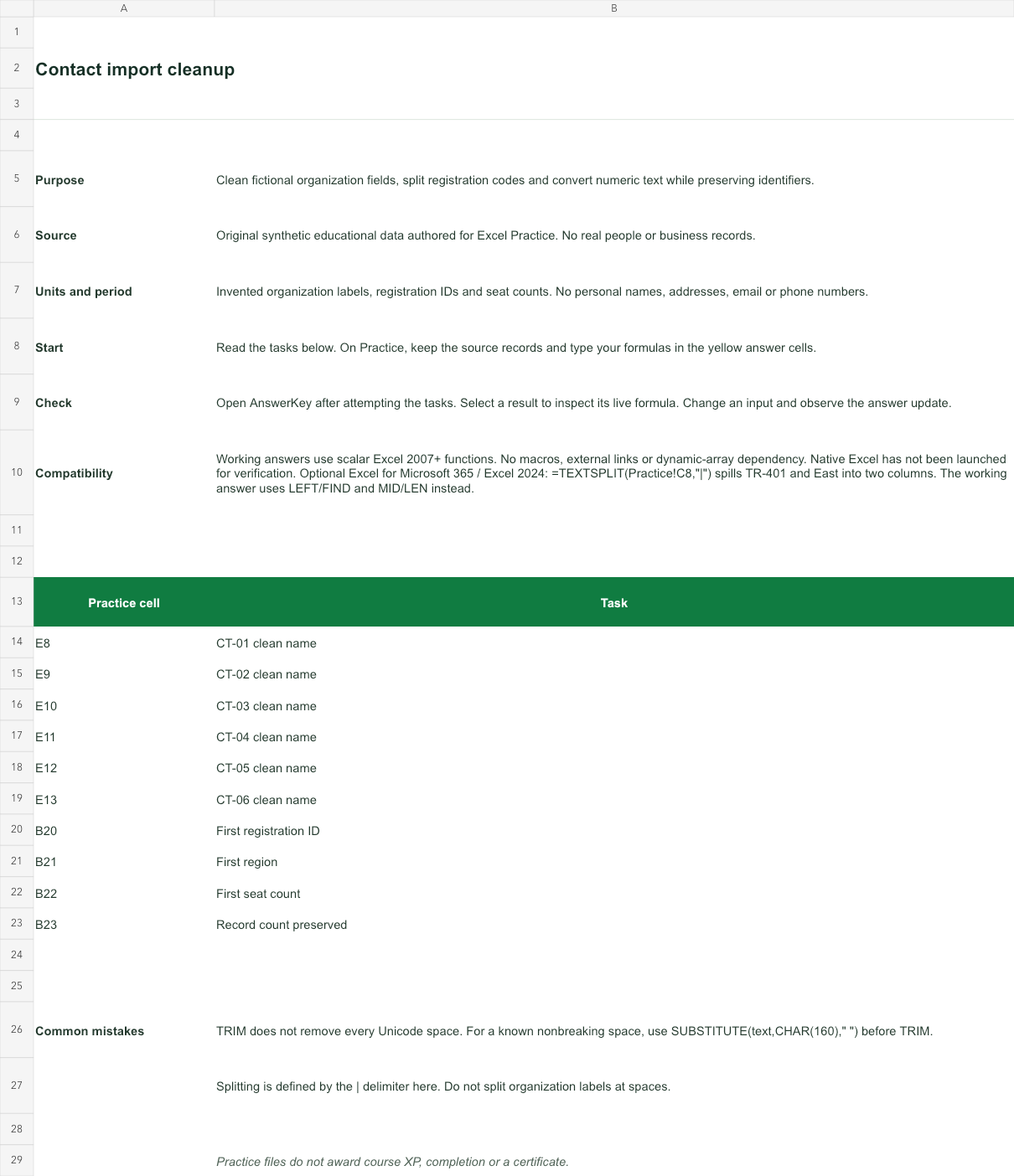
Invented organization labels, registration IDs and seat counts. No personal names, addresses, email or phone numbers.
Bank version 2026-11-02. Includes Instructions, Practice, AnswerKey; 10 live answer formulas. All source records are invented for education.
The download is an additional practice task. Its Instructions sheet identifies the source coordinates; this page’s illustrative example may use different records.
- Working answers use scalar Excel 2007+ functions. No macros, external links or dynamic-array dependency. Native Excel has not been launched for verification.
- Optional Excel for Microsoft 365 / Excel 2024: =TEXTSPLIT(Practice!C8,"|") spills TR-401 and East into two columns. The working answer uses LEFT/FIND and MID/LEN instead.