
What to be able to hand over
A reporting analyst needs to trust the extract before explaining the trend. Define the row, clean the keys and make the report reproducible before building a dashboard.
- A documented clean dataset
- State what each row represents, retain raw fields and record the treatment of blanks, duplicates and invalid values.
- A repeatable KPI report
- Define each measure and filter, compare the output to source totals and show the reporting period.
- A useful handover
- Include refresh instructions, known gaps and a worked check so a colleague can reproduce the result.
Build beyond this course
O*NET’s Business Intelligence Analyst profile includes reports, dashboards and data systems. SQL, data modelling, statistics and a BI tool are useful next areas; this course practises bounded spreadsheet tasks.
Occupational context: O*NET: Business Intelligence Analysts, updated 2026. The handover examples above are our practice suggestions.
Work to practise
- Split a delimited source field into usable columns.
- Build a unique list without silently losing a category.
- Filter records with two conditions and inspect the full spill.
All examples use original synthetic data. Source row numbers and column letters are shown so you can reproduce the formulas.
Find open urgent tickets
Return the full records where status is Open and priority is High. Split the separate routing export and list its queues.
Ticket IDs and categorical labels; no personal records.
| Row | A · Ticket | B · Status | C · Priority |
|---|---|---|---|
| 2 | TK-41 | Open | High |
| 3 | TK-42 | Closed | High |
| 4 | TK-43 | Open | Low |
| 5 | TK-44 | Open | High |
| Row | A · Raw routing field | B · Queue |
|---|---|---|
| 8 | TK-41|Billing | Billing |
| 9 | TK-44|Returns | Returns |
| 10 | TK-45|Billing | Billing |
Worked solution and complete results
Open high-priority records · D2
=FILTER(A2:C5,(B2:B5="Open")*(C2:C5="High"),"None")| Result column 1 | Result column 2 | Result column 3 |
|---|---|---|
| TK-41 | Open | High |
| TK-44 | Open | High |
Routing fields · D6
=TEXTSPLIT(A8,"|")| Result column 1 | Result column 2 |
|---|---|
| TK-41 | Billing |
Queue list · D9
=UNIQUE(B8:B10)| Result column 1 |
|---|
| Billing |
| Returns |
A mistake to catch
Filtering only Priority includes TK-42 even though it is closed. Checking only the first spill cell misses that extra record.
Correction. Combine both masks with multiplication and inspect both complete returned rows. Retain the source to trace any discrepancy.
Read the result
Two tickets meet the stated rule. This is a queue selection, with no conclusion about resolution speed or customer impact.
Practise the skills in order
- TEXTSPLIT Read the guide, then open the actual lesson.
- UNIQUE Read the guide, then open the actual lesson.
- FILTER Read the guide, then open the actual lesson.
- SORT Read the guide, then open the actual lesson.
- SUMIFS Read the guide, then open the actual lesson.
- Pivot tables Read the guide, then open the actual lesson.
- Column and line charts Read the guide, then open the actual lesson.
Modern dynamic arrays require a compatible Excel version. Browser practice uses bounded A1:F12 arrays; Power Query, SQL and unrestricted imports are outside this workbook.
Practice FILTERPay and remote work
Choose a specific job before comparing pay
Data analyst is a broad job title spanning reporting, business intelligence and statistical work. We do not assign one national wage or relabel data-scientist pay as a data-analyst salary. Compare a specific posting’s duties, level and location.
Read a remote posting carefully
For remote analyst work, show that your report can be understood without a live walkthrough. Check access to source systems, review expectations and required overlap with the team.
Check the allowed country or state, working hours, employment or contractor status, and the currency and components of the offer. A remote role can still have location restrictions and locally set pay.
One employer example: GitLab’s candidate handbook says to check each listing’s hiring country. Its current compensation policy uses local market data and local-currency ranges. This is an illustration of employer policy, not a claim about every remote job.
Continue in a downloadable workbook
Contact import cleanup
Clean fictional organization fields, split registration codes and convert numeric text while preserving identifiers.
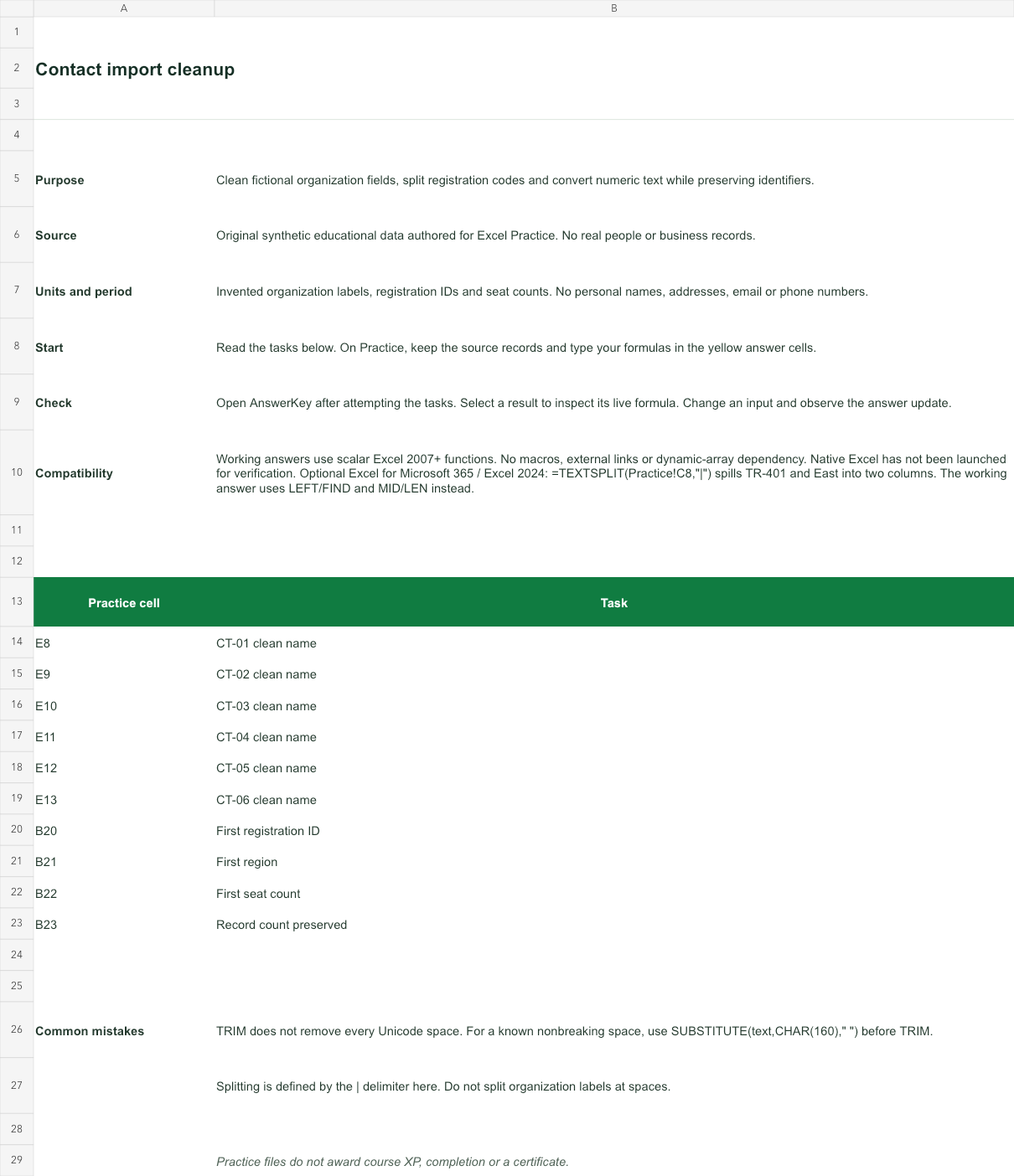
Invented organization labels, registration IDs and seat counts. No personal names, addresses, email or phone numbers.
Bank version 2026-11-02. Includes Instructions, Practice, AnswerKey; 10 live answer formulas. All source records are invented for education.
The download is an additional practice task. Its Instructions sheet identifies the source coordinates; this page’s illustrative example may use different records.
- Working answers use scalar Excel 2007+ functions. No macros, external links or dynamic-array dependency. Native Excel has not been launched for verification.
- Optional Excel for Microsoft 365 / Excel 2024: =TEXTSPLIT(Practice!C8,"|") spills TR-401 and East into two columns. The working answer uses LEFT/FIND and MID/LEN instead.