
Use the three sheets together
Instructions states the task, units and assumptions. Practice holds original synthetic sources and blank answer cells. AnswerKey contains live formulas, complete expected values and explanations. Work in a copy so you can restore the baseline.
The files use portable scalar formulas. Version notes identify optional modern functions separately. Downloads are ungraded practice: opening or completing a file grants no account progress, XP, paid access or certificate credit.
The workbook export/import recalculation, independent numeric checks and sheet previews were verified with the authoring tool. Native Microsoft Excel was not launched for acceptance. Check the stated compatibility notes in your own spreadsheet application.
Regional sales practice
Calculate row revenue and compare regional and channel totals from pivot-ready order records.
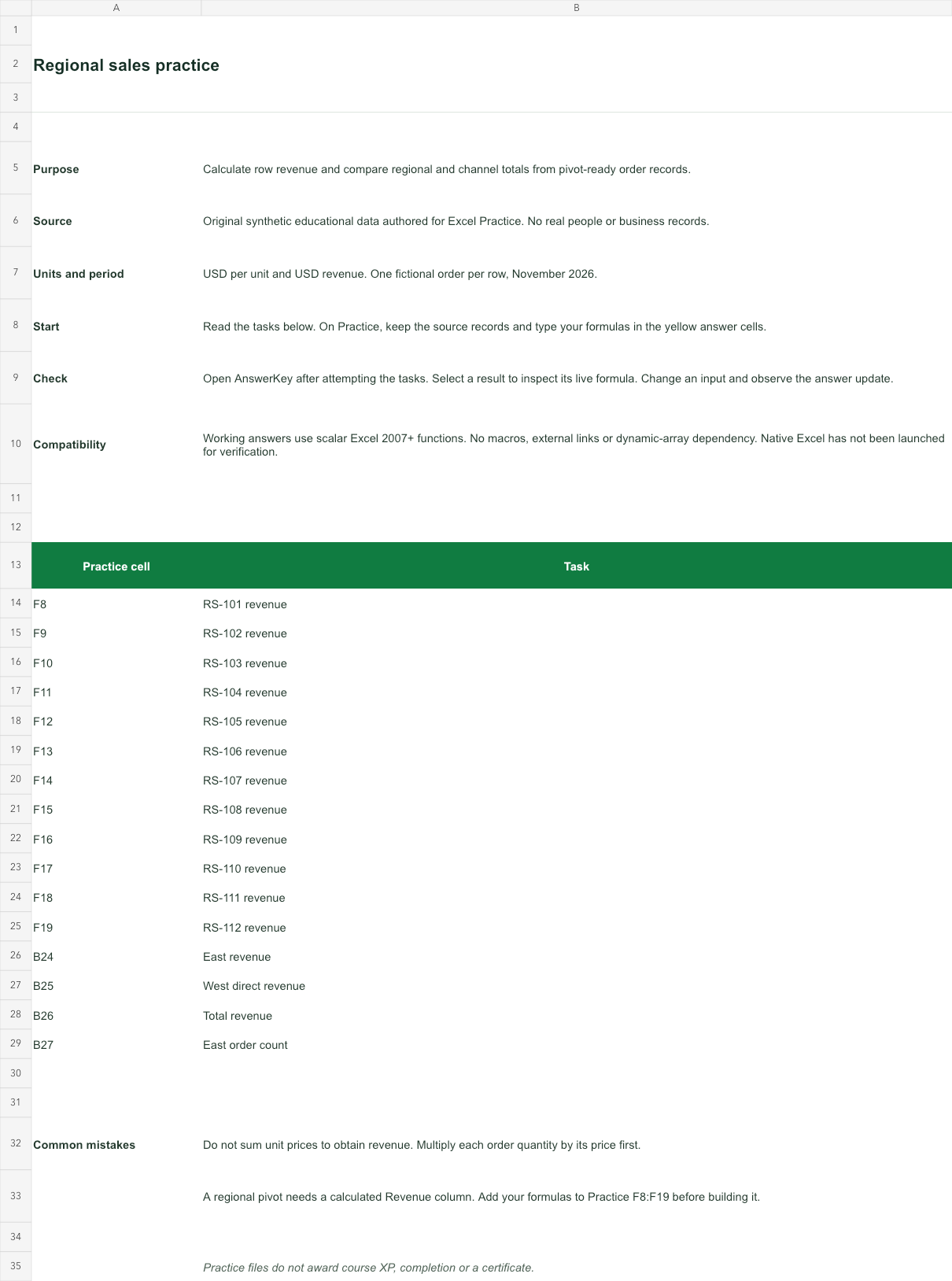
USD per unit and USD revenue. One fictional order per row, November 2026.
Bank version 2026-11-02. Includes Instructions, Practice, AnswerKey; 16 live answer formulas. All source records are invented for education.
Source data and complete answer reference
| Row | A · Order ID | B · Region | C · Channel | D · Units | E · Unit price (USD) | F · Revenue: your formula |
|---|---|---|---|---|---|---|
| 8 | RS-101 | East | Direct | 18 | 42 | Blank task cell |
| 9 | RS-102 | West | Partner | 12 | 55 | Blank task cell |
| 10 | RS-103 | North | Direct | 25 | 32 | Blank task cell |
| 11 | RS-104 | East | Partner | 16 | 48 | Blank task cell |
| 12 | RS-105 | South | Direct | 30 | 29 | Blank task cell |
| 13 | RS-106 | West | Direct | 14 | 55 | Blank task cell |
| 14 | RS-107 | North | Partner | 20 | 35 | Blank task cell |
| 15 | RS-108 | East | Direct | 22 | 42 | Blank task cell |
| 16 | RS-109 | South | Partner | 15 | 31 | Blank task cell |
| 17 | RS-110 | West | Partner | 10 | 58 | Blank task cell |
| 18 | RS-111 | North | Direct | 28 | 32 | Blank task cell |
| 19 | RS-112 | South | Direct | 24 | 29 | Blank task cell |
| Task | AnswerKey cell and formula | Result |
|---|---|---|
| RS-101 revenue | B7=Practice!D8*Practice!E8Units multiplied by unit price. Copy the relative row references down. | 756 |
| RS-102 revenue | B8=Practice!D9*Practice!E9Units multiplied by unit price. Copy the relative row references down. | 660 |
| RS-103 revenue | B9=Practice!D10*Practice!E10Units multiplied by unit price. Copy the relative row references down. | 800 |
| RS-104 revenue | B10=Practice!D11*Practice!E11Units multiplied by unit price. Copy the relative row references down. | 768 |
| RS-105 revenue | B11=Practice!D12*Practice!E12Units multiplied by unit price. Copy the relative row references down. | 870 |
| RS-106 revenue | B12=Practice!D13*Practice!E13Units multiplied by unit price. Copy the relative row references down. | 770 |
| RS-107 revenue | B13=Practice!D14*Practice!E14Units multiplied by unit price. Copy the relative row references down. | 700 |
| RS-108 revenue | B14=Practice!D15*Practice!E15Units multiplied by unit price. Copy the relative row references down. | 924 |
| RS-109 revenue | B15=Practice!D16*Practice!E16Units multiplied by unit price. Copy the relative row references down. | 465 |
| RS-110 revenue | B16=Practice!D17*Practice!E17Units multiplied by unit price. Copy the relative row references down. | 580 |
| RS-111 revenue | B17=Practice!D18*Practice!E18Units multiplied by unit price. Copy the relative row references down. | 896 |
| RS-112 revenue | B18=Practice!D19*Practice!E19Units multiplied by unit price. Copy the relative row references down. | 696 |
| East revenue | B20=SUMIFS(B7:B18,Practice!B8:B19,"East")Sum calculated revenue only for East orders. | 2448 |
| West direct revenue | B21=SUMIFS(B7:B18,Practice!B8:B19,"West",Practice!C8:C19,"Direct")Both region and channel criteria must match the same row. | 770 |
| Total revenue | B22=SUM(B7:B18)Sum the row revenues once. A pivot with Region in Rows and Revenue in Values should agree. | 8885 |
| East order count | B23=COUNTIFS(Practice!B8:B19,"East")Count orders, not units. The source has one order per row. | 3 |
- Working answers use scalar Excel 2007+ functions. No macros, external links or dynamic-array dependency. Native Excel has not been launched for verification.
Try a changed input: D8 moves from 18 to 23; AnswerKey B20 should change from 2448 to 2658. Restore the source before comparing with the baseline key.
File SHA-256 d5521271194146b62310130b27804997ff518917e07f98172fd6b95bb928954c
Related practice: sumifs · sumproduct · references · worksheet-pivots.
Staffing cost practice
Build a weekly staffing cost report from hours and hourly rates, with an explicit employer-cost allowance.
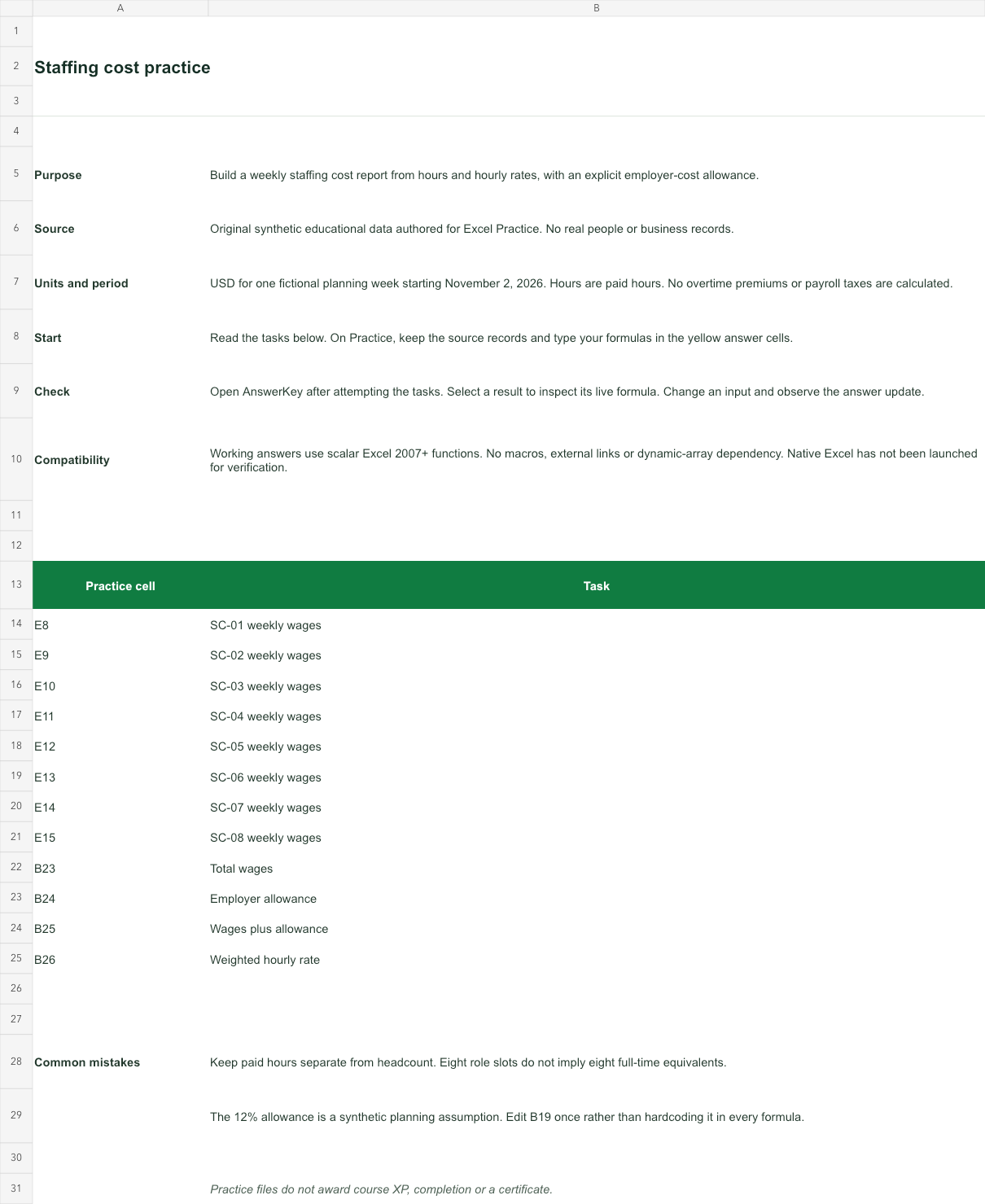
USD for one fictional planning week starting November 2, 2026. Hours are paid hours. No overtime premiums or payroll taxes are calculated.
Bank version 2026-11-02. Includes Instructions, Practice, AnswerKey; 12 live answer formulas. All source records are invented for education.
Source data and complete answer reference
| Row | A · Role slot | B · Team | C · Paid hours | D · Hourly rate (USD) | E · Wages: your formula |
|---|---|---|---|---|---|
| 8 | SC-01 | Support | 32 | 26 | Blank task cell |
| 9 | SC-02 | Packing | 38 | 23.5 | Blank task cell |
| 10 | SC-03 | Support | 24 | 28 | Blank task cell |
| 11 | SC-04 | Dispatch | 35 | 25 | Blank task cell |
| 12 | SC-05 | Packing | 30 | 23.5 | Blank task cell |
| 13 | SC-06 | Dispatch | 28 | 27 | Blank task cell |
| 14 | SC-07 | Support | 36 | 26 | Blank task cell |
| 15 | SC-08 | Packing | 20 | 24 | Blank task cell |
- B19 · Employer allowance
- 0.12
| Task | AnswerKey cell and formula | Result |
|---|---|---|
| SC-01 weekly wages | B7=Practice!C8*Practice!D8Paid hours multiplied by the hourly rate. Role slots are invented, not employee records. | 832 |
| SC-02 weekly wages | B8=Practice!C9*Practice!D9Paid hours multiplied by the hourly rate. Role slots are invented, not employee records. | 893 |
| SC-03 weekly wages | B9=Practice!C10*Practice!D10Paid hours multiplied by the hourly rate. Role slots are invented, not employee records. | 672 |
| SC-04 weekly wages | B10=Practice!C11*Practice!D11Paid hours multiplied by the hourly rate. Role slots are invented, not employee records. | 875 |
| SC-05 weekly wages | B11=Practice!C12*Practice!D12Paid hours multiplied by the hourly rate. Role slots are invented, not employee records. | 705 |
| SC-06 weekly wages | B12=Practice!C13*Practice!D13Paid hours multiplied by the hourly rate. Role slots are invented, not employee records. | 756 |
| SC-07 weekly wages | B13=Practice!C14*Practice!D14Paid hours multiplied by the hourly rate. Role slots are invented, not employee records. | 936 |
| SC-08 weekly wages | B14=Practice!C15*Practice!D15Paid hours multiplied by the hourly rate. Role slots are invented, not employee records. | 480 |
| Total wages | B17=SUM(B7:B14)Add the eight role-slot costs before applying the allowance. | 6149 |
| Employer allowance | B18=B17*Practice!$B$19The fixed allowance cell stays anchored when the formula is reused. | 737.88 |
| Wages plus allowance | B19=SUM(B17:B18)A planning allowance is an estimate, not a statutory tax calculation. | 6886.880000000001 |
| Weighted hourly rate | B20=B17/SUM(Practice!C8:C15)Divide total wages by total hours. An unweighted mean of rates would answer a different question. | 25.304526748971192 |
- Working answers use scalar Excel 2007+ functions. No macros, external links or dynamic-array dependency. Native Excel has not been launched for verification.
Try a changed input: D8 moves from 26 to 29; AnswerKey B19 should change from 6886.880000000001 to 6994.400000000001. Restore the source before comparing with the baseline key.
File SHA-256 a980677700ed97ac9bfaffc34deaa2c26ecf8191c1863bcd479185ea7118a927
Related practice: sumproduct · references · sumifs.
Budget variance practice
Explain signed expense variance, overspend and percentage variance without hiding a zero budget.
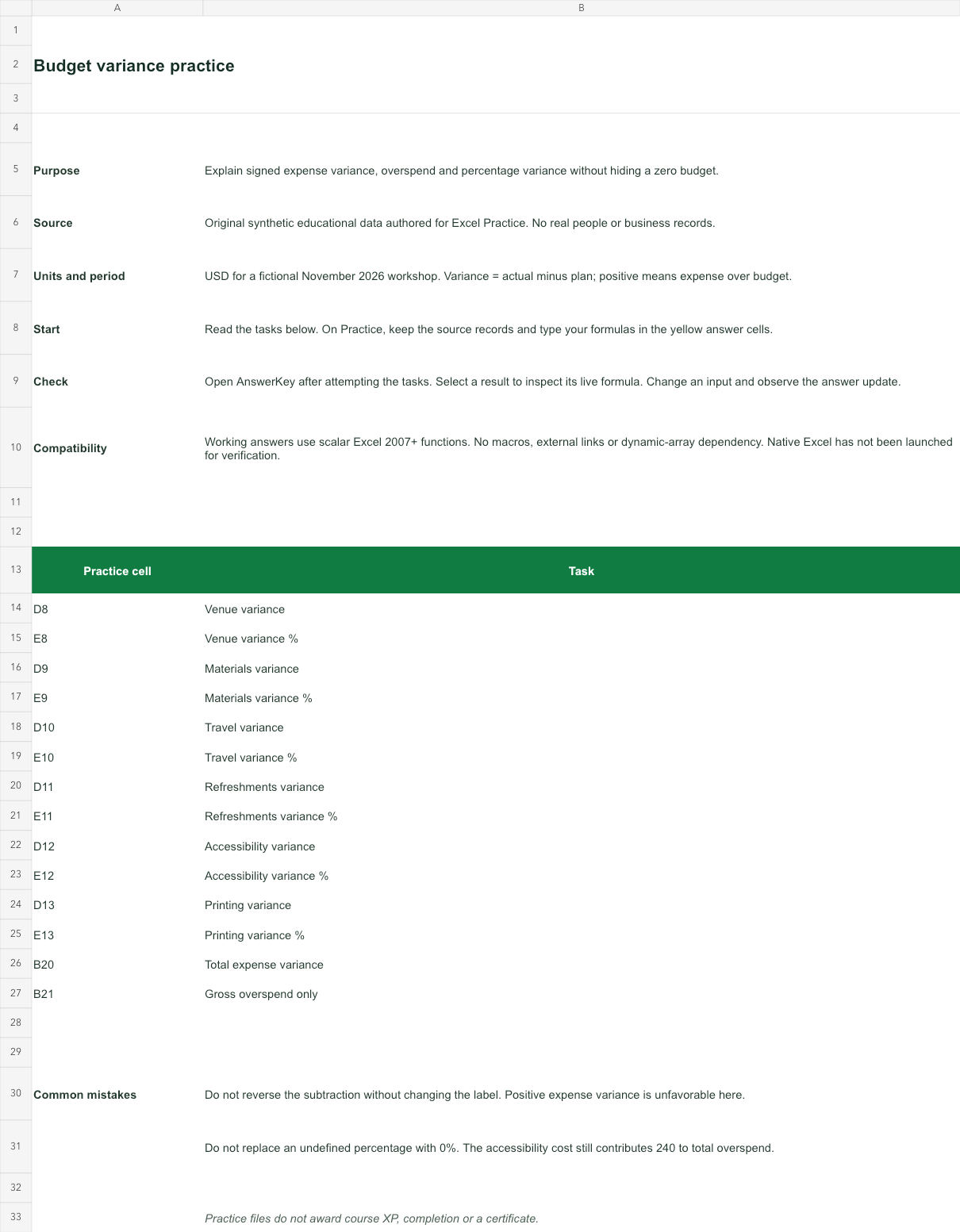
USD for a fictional November 2026 workshop. Variance = actual minus plan; positive means expense over budget.
Bank version 2026-11-02. Includes Instructions, Practice, AnswerKey; 14 live answer formulas. All source records are invented for education.
Source data and complete answer reference
| Row | A · Expense | B · Plan (USD) | C · Actual (USD) | D · Variance: your formula | E · Variance %: your formula |
|---|---|---|---|---|---|
| 8 | Venue | 1800 | 1950 | Blank task cell | Blank task cell |
| 9 | Materials | 750 | 640 | Blank task cell | Blank task cell |
| 10 | Travel | 600 | 720 | Blank task cell | Blank task cell |
| 11 | Refreshments | 400 | 380 | Blank task cell | Blank task cell |
| 12 | Accessibility | 0 | 240 | Blank task cell | Blank task cell |
| 13 | Printing | 250 | 250 | Blank task cell | Blank task cell |
| Task | AnswerKey cell and formula | Result |
|---|---|---|
| Venue variance | B7=Practice!C8-Practice!B8Actual minus plan. Positive is overspend; a negative amount is underspend. | 150 |
| Venue variance % | B8=IF(Practice!B8=0,"n.a.",B7/Practice!B8)Use plan as the denominator. A zero plan has no defined percentage variance. | 0.08333333333333333 |
| Materials variance | B9=Practice!C9-Practice!B9Actual minus plan. Positive is overspend; a negative amount is underspend. | -110 |
| Materials variance % | B10=IF(Practice!B9=0,"n.a.",B9/Practice!B9)Use plan as the denominator. A zero plan has no defined percentage variance. | -0.14666666666666667 |
| Travel variance | B11=Practice!C10-Practice!B10Actual minus plan. Positive is overspend; a negative amount is underspend. | 120 |
| Travel variance % | B12=IF(Practice!B10=0,"n.a.",B11/Practice!B10)Use plan as the denominator. A zero plan has no defined percentage variance. | 0.2 |
| Refreshments variance | B13=Practice!C11-Practice!B11Actual minus plan. Positive is overspend; a negative amount is underspend. | -20 |
| Refreshments variance % | B14=IF(Practice!B11=0,"n.a.",B13/Practice!B11)Use plan as the denominator. A zero plan has no defined percentage variance. | -0.05 |
| Accessibility variance | B15=Practice!C12-Practice!B12Actual minus plan. Positive is overspend; a negative amount is underspend. | 240 |
| Accessibility variance % | B16=IF(Practice!B12=0,"n.a.",B15/Practice!B12)Use plan as the denominator. A zero plan has no defined percentage variance. | n.a. |
| Printing variance | B17=Practice!C13-Practice!B13Actual minus plan. Positive is overspend; a negative amount is underspend. | 0 |
| Printing variance % | B18=IF(Practice!B13=0,"n.a.",B17/Practice!B13)Use plan as the denominator. A zero plan has no defined percentage variance. | 0 |
| Total expense variance | B21=SUM(Practice!C8:C13)-SUM(Practice!B8:B13)Total actual 4,180 less total plan 3,800 is an expense overrun of 380. | 380 |
| Gross overspend only | B22=MAX(B7,0)+MAX(B9,0)+MAX(B11,0)+MAX(B13,0)+MAX(B15,0)+MAX(B17,0)Add the six positive monetary amounts, excluding percentage rows. Underspend does not offset gross overspend. | 510 |
- Working answers use scalar Excel 2007+ functions. No macros, external links or dynamic-array dependency. Native Excel has not been launched for verification.
Try a changed input: C8 moves from 1950 to 2050; AnswerKey B21 should change from 380 to 480. Restore the source before comparing with the baseline key.
File SHA-256 cd6eda2b92c4f6fcac1b2454a78e8f35c58c82add80b2733f17f27297ec33cf9
Contact import cleanup
Clean fictional organization fields, split registration codes and convert numeric text while preserving identifiers.
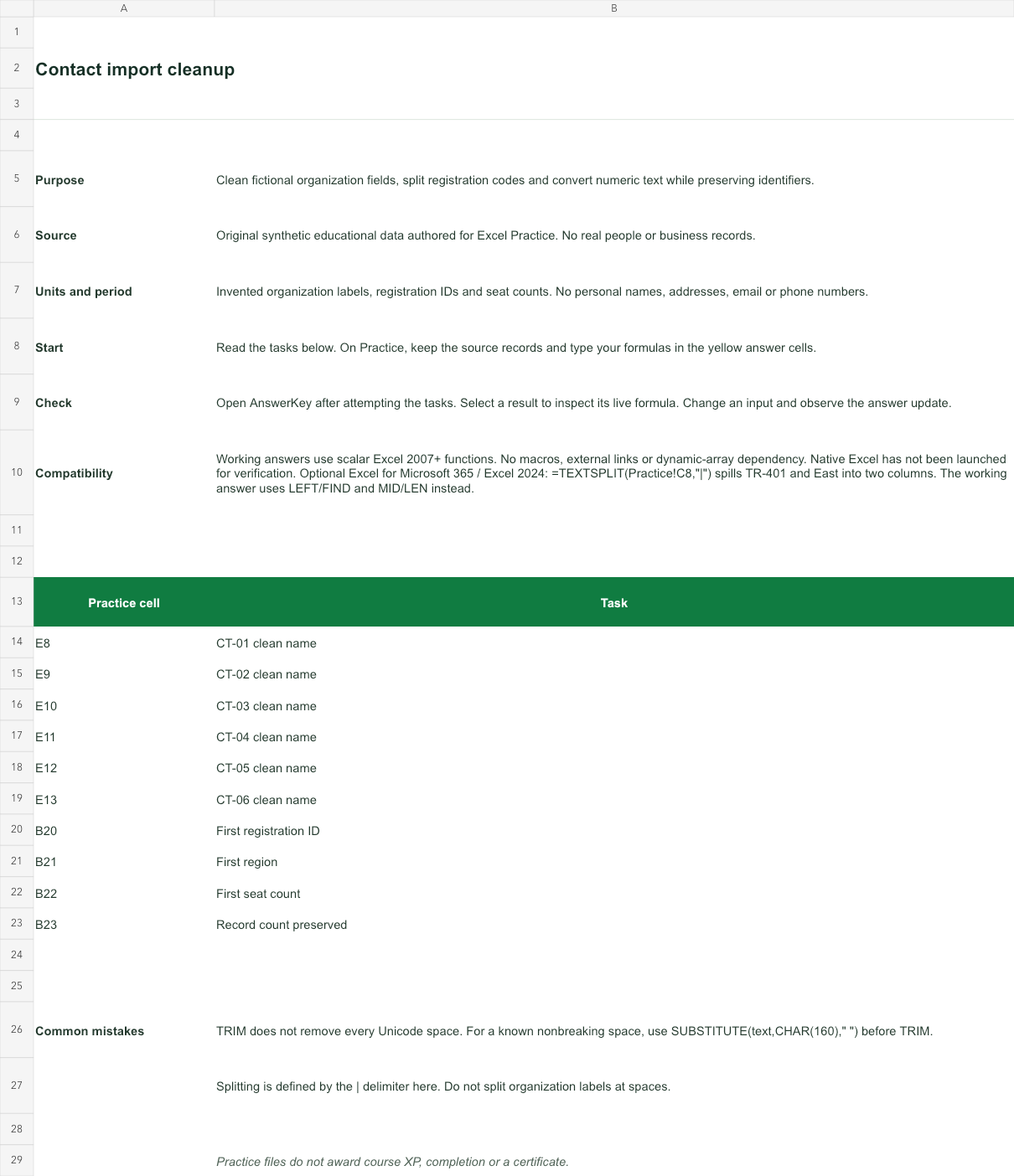
Invented organization labels, registration IDs and seat counts. No personal names, addresses, email or phone numbers.
Bank version 2026-11-02. Includes Instructions, Practice, AnswerKey; 10 live answer formulas. All source records are invented for education.
Source data and complete answer reference
| Row | A · Record ID | B · Raw organization | C · Registration | region | D · Seats as text | E · Clean name: your formula |
|---|---|---|---|---|---|
| 8 | CT-01 | " Aster workshop " | TR-401|East | " 0042 " | Blank task cell |
| 9 | CT-02 | "BIRCH STUDIO" | TR-402|West | " 18 " | Blank task cell |
| 10 | CT-03 | " cedar learning" | TR-403|North | 7 | Blank task cell |
| 11 | CT-04 | "DUNE LAB" | TR-404|South | " 0 " | Blank task cell |
| 12 | CT-05 | "elm group " | TR-405|East | " 25 " | Blank task cell |
| 13 | CT-06 | " FIR SPACE " | TR-406|West | 11 | Blank task cell |
| Task | AnswerKey cell and formula | Result |
|---|---|---|
| CT-01 clean name | B7=PROPER(TRIM(Practice!B8))TRIM removes leading/trailing ordinary spaces and collapses repeated ones; PROPER standardizes case. | Aster Workshop |
| CT-02 clean name | B8=PROPER(TRIM(Practice!B9))TRIM removes leading/trailing ordinary spaces and collapses repeated ones; PROPER standardizes case. | Birch Studio |
| CT-03 clean name | B9=PROPER(TRIM(Practice!B10))TRIM removes leading/trailing ordinary spaces and collapses repeated ones; PROPER standardizes case. | Cedar Learning |
| CT-04 clean name | B10=PROPER(TRIM(Practice!B11))TRIM removes leading/trailing ordinary spaces and collapses repeated ones; PROPER standardizes case. | Dune Lab |
| CT-05 clean name | B11=PROPER(TRIM(Practice!B12))TRIM removes leading/trailing ordinary spaces and collapses repeated ones; PROPER standardizes case. | Elm Group |
| CT-06 clean name | B12=PROPER(TRIM(Practice!B13))TRIM removes leading/trailing ordinary spaces and collapses repeated ones; PROPER standardizes case. | Fir Space |
| First registration ID | B15=LEFT(Practice!C8,FIND("|",Practice!C8)-1)LEFT stops before the delimiter. Keep the registration ID as text. | TR-401 |
| First region | B16=MID(Practice!C8,FIND("|",Practice!C8)+1,LEN(Practice!C8))MID starts after the delimiter. This scalar alternative works without a dynamic spill. | East |
| First seat count | B17=VALUE(TRIM(Practice!D8))Convert numeric text only when it represents a count. Do not apply VALUE to registration IDs. | 42 |
| Record count preserved | B18=COUNTA(Practice!A8:A13)Cleaning does not remove rows. Check the source record count before deduplicating. | 6 |
- Working answers use scalar Excel 2007+ functions. No macros, external links or dynamic-array dependency. Native Excel has not been launched for verification.
- Optional Excel for Microsoft 365 / Excel 2024: =TEXTSPLIT(Practice!C8,"|") spills TR-401 and East into two columns. The working answer uses LEFT/FIND and MID/LEN instead.
Try a changed input: B8 moves from Aster workshop to ASTER STUDIO ; AnswerKey B7 should change from Aster Workshop to Aster Studio. Restore the source before comparing with the baseline key.
File SHA-256 06344b183cfa58d0d59d608c9603287e89db292609e9c6d766bf8b8afed4dcf0
Related practice: text · proper · value · textslice · array-textsplit.
Lookup reconciliation practice
Distinguish missing keys, duplicated source keys and genuine zero balances before interpreting differences.
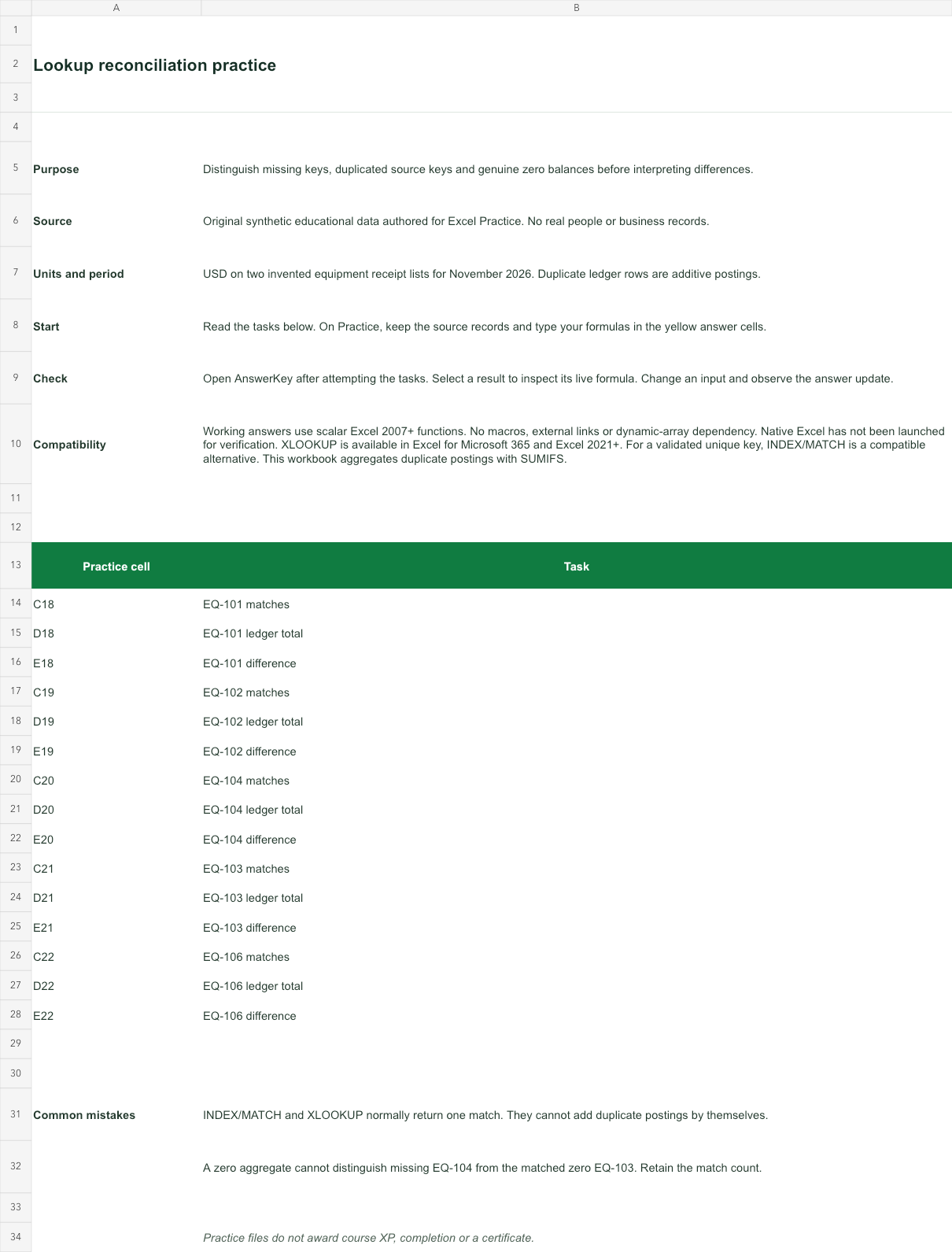
USD on two invented equipment receipt lists for November 2026. Duplicate ledger rows are additive postings.
Bank version 2026-11-02. Includes Instructions, Practice, AnswerKey; 15 live answer formulas. All source records are invented for education.
Source data and complete answer reference
| Row | A · Ledger equipment ID | B · Ledger amount (USD) |
|---|---|---|
| 8 | EQ-101 | 120 |
| 9 | EQ-102 | 80 |
| 10 | EQ-102 | 20 |
| 11 | EQ-103 | 0 |
| 12 | EQ-105 | 65 |
| 13 | EQ-106 | 90 |
| Row | A · Request equipment ID | B · Requested amount (USD) | C · Matches: your formula | D · Ledger total: your formula | E · Difference: your formula |
|---|---|---|---|---|---|
| 18 | EQ-101 | 120 | Blank task cell | Blank task cell | Blank task cell |
| 19 | EQ-102 | 100 | Blank task cell | Blank task cell | Blank task cell |
| 20 | EQ-104 | 50 | Blank task cell | Blank task cell | Blank task cell |
| 21 | EQ-103 | 0 | Blank task cell | Blank task cell | Blank task cell |
| 22 | EQ-106 | 95 | Blank task cell | Blank task cell | Blank task cell |
| Task | AnswerKey cell and formula | Result |
|---|---|---|
| EQ-101 matches | B7=COUNTIFS(Practice!$A$8:$A$13,Practice!A18)0 means missing, 1 unique, more than 1 duplicate source key. Check before using a first-match lookup. | 1 |
| EQ-101 ledger total | B8=IF(B7=0,"Missing",SUMIFS(Practice!$B$8:$B$13,Practice!$A$8:$A$13,Practice!A18))The source contract says postings add. SUMIFS keeps both EQ-102 postings; zero EQ-103 is a real match. | 120 |
| EQ-101 difference | B9=IF(B7=0,"Missing",B8-Practice!B18)Ledger total minus request amount. A missing key stays Missing rather than a fabricated negative amount. | 0 |
| EQ-102 matches | B10=COUNTIFS(Practice!$A$8:$A$13,Practice!A19)0 means missing, 1 unique, more than 1 duplicate source key. Check before using a first-match lookup. | 2 |
| EQ-102 ledger total | B11=IF(B10=0,"Missing",SUMIFS(Practice!$B$8:$B$13,Practice!$A$8:$A$13,Practice!A19))The source contract says postings add. SUMIFS keeps both EQ-102 postings; zero EQ-103 is a real match. | 100 |
| EQ-102 difference | B12=IF(B10=0,"Missing",B11-Practice!B19)Ledger total minus request amount. A missing key stays Missing rather than a fabricated negative amount. | 0 |
| EQ-104 matches | B13=COUNTIFS(Practice!$A$8:$A$13,Practice!A20)0 means missing, 1 unique, more than 1 duplicate source key. Check before using a first-match lookup. | 0 |
| EQ-104 ledger total | B14=IF(B13=0,"Missing",SUMIFS(Practice!$B$8:$B$13,Practice!$A$8:$A$13,Practice!A20))The source contract says postings add. SUMIFS keeps both EQ-102 postings; zero EQ-103 is a real match. | Missing |
| EQ-104 difference | B15=IF(B13=0,"Missing",B14-Practice!B20)Ledger total minus request amount. A missing key stays Missing rather than a fabricated negative amount. | Missing |
| EQ-103 matches | B16=COUNTIFS(Practice!$A$8:$A$13,Practice!A21)0 means missing, 1 unique, more than 1 duplicate source key. Check before using a first-match lookup. | 1 |
| EQ-103 ledger total | B17=IF(B16=0,"Missing",SUMIFS(Practice!$B$8:$B$13,Practice!$A$8:$A$13,Practice!A21))The source contract says postings add. SUMIFS keeps both EQ-102 postings; zero EQ-103 is a real match. | 0 |
| EQ-103 difference | B18=IF(B16=0,"Missing",B17-Practice!B21)Ledger total minus request amount. A missing key stays Missing rather than a fabricated negative amount. | 0 |
| EQ-106 matches | B19=COUNTIFS(Practice!$A$8:$A$13,Practice!A22)0 means missing, 1 unique, more than 1 duplicate source key. Check before using a first-match lookup. | 1 |
| EQ-106 ledger total | B20=IF(B19=0,"Missing",SUMIFS(Practice!$B$8:$B$13,Practice!$A$8:$A$13,Practice!A22))The source contract says postings add. SUMIFS keeps both EQ-102 postings; zero EQ-103 is a real match. | 90 |
| EQ-106 difference | B21=IF(B19=0,"Missing",B20-Practice!B22)Ledger total minus request amount. A missing key stays Missing rather than a fabricated negative amount. | -5 |
- Working answers use scalar Excel 2007+ functions. No macros, external links or dynamic-array dependency. Native Excel has not been launched for verification.
- XLOOKUP is available in Excel for Microsoft 365 and Excel 2021+. For a validated unique key, INDEX/MATCH is a compatible alternative. This workbook aggregates duplicate postings with SUMIFS.
Try a changed input: B10 moves from 20 to 35; AnswerKey B12 should change from 0 to 15. Restore the source before comparing with the baseline key.
File SHA-256 8490a15bc1967c8b457af6ed68713947ea5597c32a2be4b7fbf4c4cf99f0bd4e
Related practice: reconciliation · xlookup · countif · sumifs.
Interview spreadsheet practice
Practise a mixed original work sample covering references, conditional totals, exact lookup and a short report.
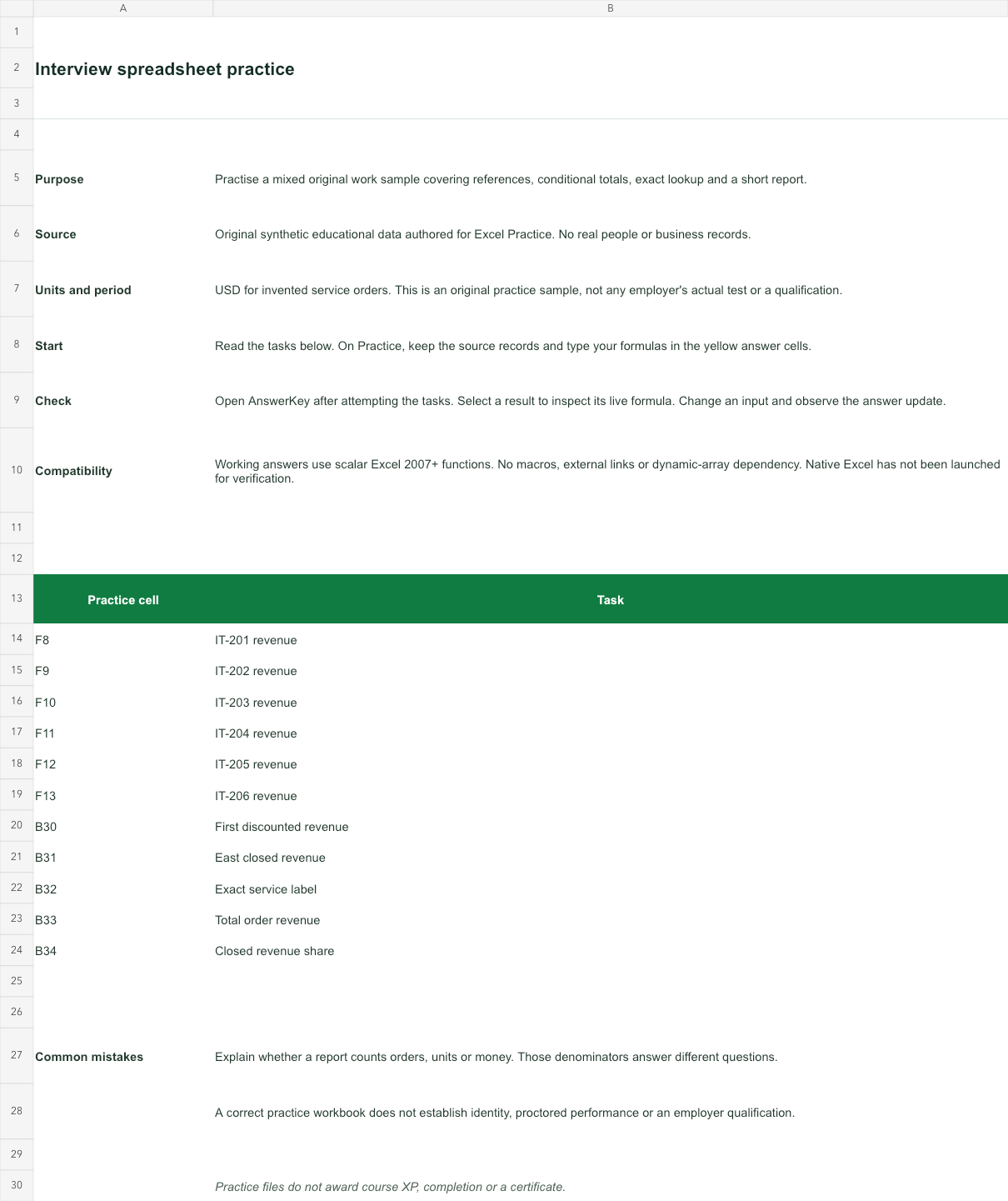
USD for invented service orders. This is an original practice sample, not any employer's actual test or a qualification.
Bank version 2026-11-02. Includes Instructions, Practice, AnswerKey; 11 live answer formulas. All source records are invented for education.
Source data and complete answer reference
| Row | A · Order ID | B · Region | C · Status | D · Units | E · Unit price (USD) | F · Revenue: your formula |
|---|---|---|---|---|---|---|
| 8 | IT-201 | East | Open | 8 | 35 | Blank task cell |
| 9 | IT-202 | West | Closed | 12 | 28 | Blank task cell |
| 10 | IT-203 | East | Closed | 10 | 40 | Blank task cell |
| 11 | IT-204 | North | Open | 6 | 50 | Blank task cell |
| 12 | IT-205 | East | Open | 14 | 25 | Blank task cell |
| 13 | IT-206 | West | Closed | 9 | 32 | Blank task cell |
| Row | A · Service code | B · Service label |
|---|---|---|
| 20 | SV-10 | Setup |
| 21 | SV-20 | Training |
| 22 | SV-30 | Support |
- B25 · Discount assumption
- 0.08
- B26 · Selected service
- SV-20
| Task | AnswerKey cell and formula | Result |
|---|---|---|
| IT-201 revenue | B7=Practice!D8*Practice!E8Relative row references let each order use its own units and price. | 280 |
| IT-202 revenue | B8=Practice!D9*Practice!E9Relative row references let each order use its own units and price. | 336 |
| IT-203 revenue | B9=Practice!D10*Practice!E10Relative row references let each order use its own units and price. | 400 |
| IT-204 revenue | B10=Practice!D11*Practice!E11Relative row references let each order use its own units and price. | 300 |
| IT-205 revenue | B11=Practice!D12*Practice!E12Relative row references let each order use its own units and price. | 350 |
| IT-206 revenue | B12=Practice!D13*Practice!E13Relative row references let each order use its own units and price. | 288 |
| First discounted revenue | B15=B7*(1-Practice!$B$25)Anchor the discount assumption so a copied formula does not drift. This is revenue after discount, not discount amount. | 257.6 |
| East closed revenue | B16=SUMIFS(B7:B12,Practice!B8:B13,"East",Practice!C8:C13,"Closed")Only rows that meet both conditions contribute. Open orders are excluded. | 400 |
| Exact service label | B17=IF(COUNTIFS(Practice!A20:A22,Practice!B26)=0,"Missing",INDEX(Practice!B20:B22,MATCH(Practice!B26,Practice!A20:A22,0)))MATCH uses 0 for exact match. The source service-code table is unique. | Training |
| Total order revenue | B18=SUM(B7:B12)Report the total of the six order calculations once. | 1954 |
| Closed revenue share | B19=SUMIFS(B7:B12,Practice!C8:C13,"Closed")/B18Divide closed revenue by all revenue. This is a revenue share, not a share of order count. | 0.5240532241555783 |
- Working answers use scalar Excel 2007+ functions. No macros, external links or dynamic-array dependency. Native Excel has not been launched for verification.
Try a changed input: D10 moves from 10 to 13; AnswerKey B16 should change from 400 to 520. Restore the source before comparing with the baseline key.
File SHA-256 38e5d47f2d16bd4da1ee89c4085c4af4f4b6f2441688efff4932b98d3d898cf7
Related practice: references · sumifs · xlookup · if · sumproduct.
Compare a change with the baseline
Make one source change, recalculate and explain which results should move. A fixed typed answer may match the baseline while failing that check. The listed input changes give you a reproducible follow-up for every file.
The contact-cleanup raw Seats source starts with the exact text " 0042 ". A preview may display 42; inspect the raw field before deciding whether to convert it. Here Seats is a quantity. A similarly shaped identifier may need its leading zeros.
Continue in the interactive lesson guides for deterministic feedback, or choose a role pathway for a separate worked scenario.