
Before you read the answers
- Count matches before returning an amount.
- Aggregate only when the source contract says rows add.
- Keep missing and matched-zero records distinct.
All examples use original synthetic data. Source row numbers and column letters are shown so you can reproduce the formulas.
Compare five requests with six ledger postings
For every requested ID, count ledger rows, sum matched amounts and calculate ledger total minus requested amount.
USD; exact source tables from the downloadable lookup-reconciliation workbook.
| Row | A · Ledger equipment ID | B · Ledger amount (USD) |
|---|---|---|
| 8 | EQ-101 | 120 |
| 9 | EQ-102 | 80 |
| 10 | EQ-102 | 20 |
| 11 | EQ-103 | 0 |
| 12 | EQ-105 | 65 |
| 13 | EQ-106 | 90 |
| Row | A · Request equipment ID | B · Requested amount (USD) | C · Matches: your formula | D · Ledger total: your formula | E · Difference: your formula |
|---|---|---|---|---|---|
| 18 | EQ-101 | 120 | Blank task cell | Blank task cell | Blank task cell |
| 19 | EQ-102 | 100 | Blank task cell | Blank task cell | Blank task cell |
| 20 | EQ-104 | 50 | Blank task cell | Blank task cell | Blank task cell |
| 21 | EQ-103 | 0 | Blank task cell | Blank task cell | Blank task cell |
| 22 | EQ-106 | 95 | Blank task cell | Blank task cell | Blank task cell |
Worked solution and complete results
EQ-101 match count · C18
=COUNTIF(A8:A13,A18)Result: 1
EQ-101 ledger USD · D18
=IF(C18=0,"Missing",SUMIF(A8:A13,A18,B8:B13))Result: 120
EQ-101 difference USD · E18
=IF(C18=0,"Missing",D18-B18)Result: 0
EQ-102 match count · C19
=COUNTIF(A8:A13,A19)Result: 2
EQ-102 ledger USD · D19
=IF(C19=0,"Missing",SUMIF(A8:A13,A19,B8:B13))Result: 100
EQ-102 difference USD · E19
=IF(C19=0,"Missing",D19-B19)Result: 0
EQ-104 match count · C20
=COUNTIF(A8:A13,A20)Result: 0
EQ-104 ledger USD · D20
=IF(C20=0,"Missing",SUMIF(A8:A13,A20,B8:B13))Result: Missing
EQ-104 difference USD · E20
=IF(C20=0,"Missing",D20-B20)Result: Missing
EQ-103 match count · C21
=COUNTIF(A8:A13,A21)Result: 1
EQ-103 ledger USD · D21
=IF(C21=0,"Missing",SUMIF(A8:A13,A21,B8:B13))Result: 0
EQ-103 difference USD · E21
=IF(C21=0,"Missing",D21-B21)Result: 0
EQ-106 match count · C22
=COUNTIF(A8:A13,A22)Result: 1
EQ-106 ledger USD · D22
=IF(C22=0,"Missing",SUMIF(A8:A13,A22,B8:B13))Result: 90
EQ-106 difference USD · E22
=IF(C22=0,"Missing",D22-B22)Result: -5
A mistake to catch
XLOOKUP for EQ-102 returns its first USD 80 posting and omits the second USD 20. A zero SUMIF alone also makes missing EQ-104 resemble matched-zero EQ-103.
Correction. Count the key first. Sum both EQ-102 postings under the additive source rule. Preserve Missing where the count is zero.
Read the result
EQ-102 reconciles at USD 100 despite having two source rows. EQ-104 is missing. EQ-103 is a genuine zero match. EQ-106 has USD 5 less ledger value than requested.
Practise the skills in order
- XLOOKUP Read the guide, then open the actual lesson.
- COUNTIF Read the guide, then open the actual lesson.
- SUMIF Read the guide, then open the actual lesson.
- Balance reconciliation Read the guide, then open the actual lesson.
- Text functions Read the guide, then open the actual lesson.
- VALUE Read the guide, then open the actual lesson.
A first-match lookup is appropriate only after checking uniqueness or adopting a deliberate first-match rule. Reconciliation identifies differences; it does not decide which source is correct.
Practice XLOOKUPContinue in a downloadable workbook
Lookup reconciliation practice
Distinguish missing keys, duplicated source keys and genuine zero balances before interpreting differences.
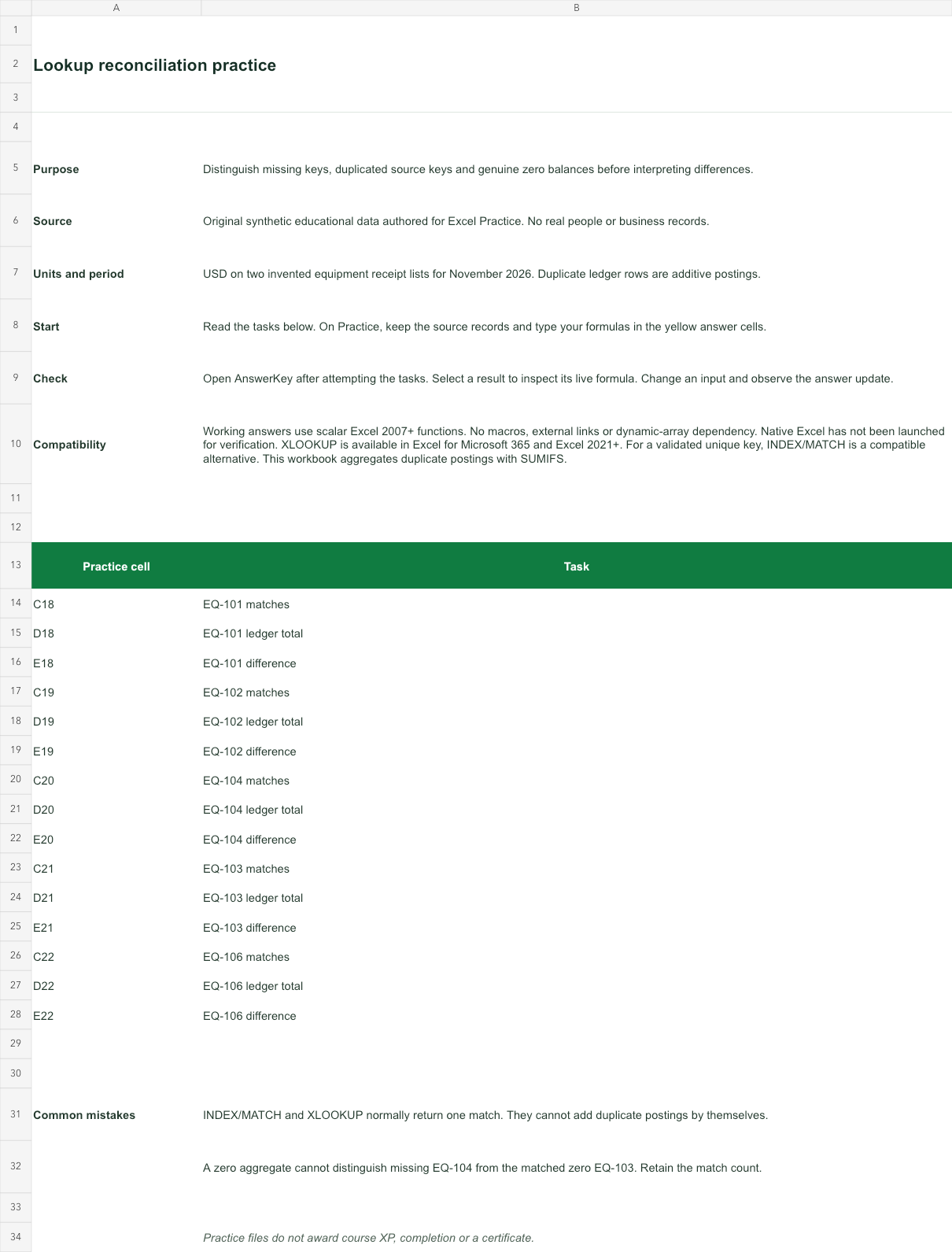
USD on two invented equipment receipt lists for November 2026. Duplicate ledger rows are additive postings.
Bank version 2026-11-02. Includes Instructions, Practice, AnswerKey; 15 live answer formulas. All source records are invented for education.
The download is an additional practice task. Its Instructions sheet identifies the source coordinates; this page’s illustrative example may use different records.
- Working answers use scalar Excel 2007+ functions. No macros, external links or dynamic-array dependency. Native Excel has not been launched for verification.
- XLOOKUP is available in Excel for Microsoft 365 and Excel 2021+. For a validated unique key, INDEX/MATCH is a compatible alternative. This workbook aggregates duplicate postings with SUMIFS.