
Excel skills tests and training for teams.
Give candidates a worksheet to solve. See where new hires need practice. Assign those lessons and follow their progress in one company workspace.
Already set up? Open team workspace

What do you need Excel skills for?
See where someone is ready and what to practice next
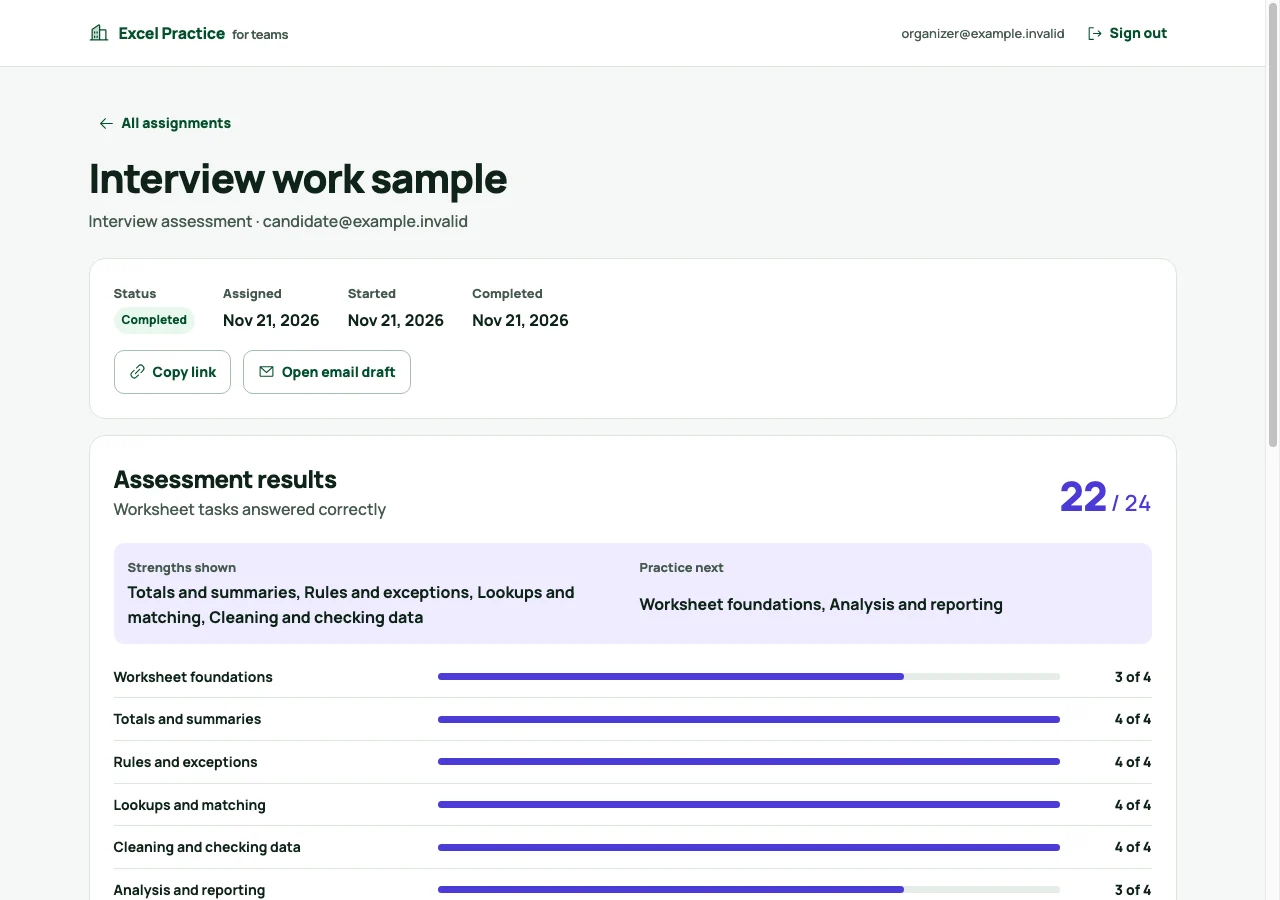
Read the score by skill, check individual tasks and turn gaps into a lesson plan.
- Example assessment score
- 22 of 24
- Worksheet foundations
- 3 of 4
- Totals and summaries
- 4 of 4
- Rules and exceptions
- 4 of 4
- Lookups and matching
- 4 of 4
- Cleaning and checking data
- 4 of 4
- Analysis and reporting
- 3 of 4
Plan follow-up practiceIn this example, worksheet foundations and reporting are the places to start.
From a worksheet to a training plan
See how someone handles tasks such as matching a supplier code, checking a total, or deciding which records belong in a report. Then choose practice for the work they’ll be doing on your team.
- Send a work sample
- Share a private link with a candidate or new hire. They verify the invited email and work through 24 worksheet tasks in their browser.
- Review the details
- Read the overall score, the score in each of six skill areas, and the outcome of each task.
- Assign the next lesson
- Use the report to start a follow-up plan or choose lessons directly. See which exercises each person completes in the lessons you assigned.
Try the worksheets and guides
Common questions
What do I need to set up a workspace?
Tell us your company, approximate team size, and the Excel work you want to assess or teach. Once we set up access, your organizer can create assignments.
How are invitations shared?
Create links for up to 20 recipients in one form. Copy each link into your usual messaging app or open an email draft to share it.
What can a manager see?
The organizer sees results from assigned assessments and completed exercises in assigned training lessons. The rest of each learner’s course activity stays in their own account.
Tell us what your team needs to do in Excel
Share your team size and a typical task, such as reconciling orders or preparing a weekly report.