
Teach the Excel work your team does every week.
Choose hands-on Excel lessons for a real reporting task. Give each employee a private assignment and see which exercises they complete.
Already set up? Open team workspace
A practice plan for a weekly operations report
Start with the export, check the totals, and turn the rows into a report.
Filter the order export
Show the rows for open orders before you review what’s behind schedule.
Total orders that meet two conditions
Calculate the shipped amount for a single team with SUMIFS.
Build a PivotTable summary
Group orders by team and check when the Values field should use Sum or Count.
Build a plan around one repeatable job
Pick a task your team already does, like checking warehouse orders or matching customer IDs across two reports. Give people a few lessons that follow the order they would use at work.
For a team that handles exceptions, try an exact lookup and a lesson on handling formula errors. For people who compile totals, assign filters and condition-based summaries before a PivotTable lesson.
See who has practiced each part
Assign a plan to multiple teammates and check completion by person and lesson in the company workspace. During the next team meeting, walk through a step people are still practicing and agree on how to check it in the live report.
- Choose the lessons
- Select up to 12 lessons for a training assignment. Start with a short run that fits one work task.
- Share a link with each employee
- Send the private link from your email or chat. Each person signs in with the invited address.
- Review completed exercises
- See completion for the lessons you assigned and use it to plan the next practice session.
See completed exercises in the workspace
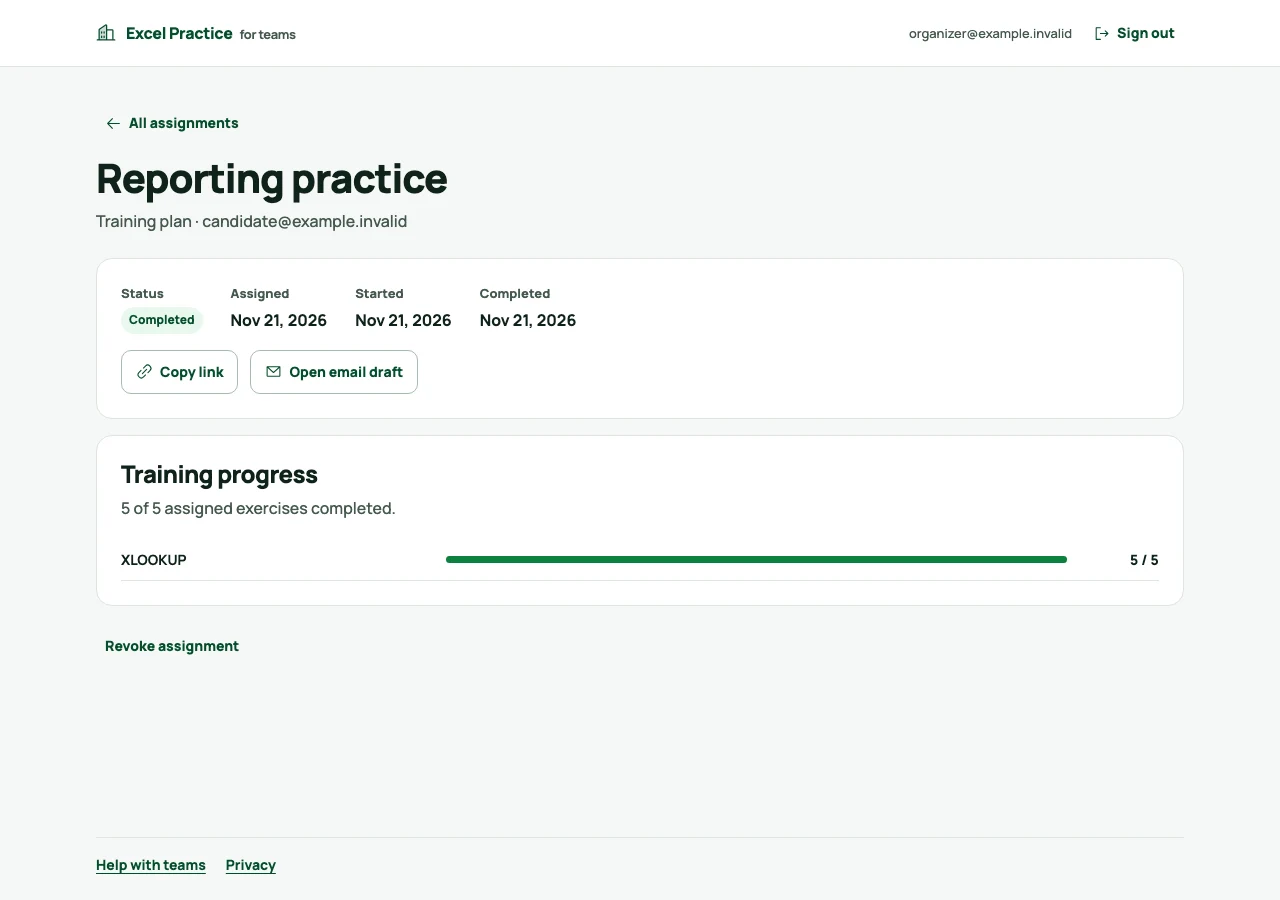
The manager’s report shows each assigned lesson and how many exercises the employee completed. Here’s what a finished XLOOKUP assignment looks like.
Try the worksheets and guides
Common questions
Can I put employees on different lesson plans?
Yes. Make separate assignments to give each employee or group the lessons they need.
What counts as completed training?
The organizer sees the verified exercises a learner has completed for each assigned lesson. Earlier verified work on those lessons counts toward the plan.
Does an employee need to buy an individual course subscription?
An active company training assignment opens its assigned lessons after the learner signs in with the invited email.
Tell us what your team needs to do in Excel
Share your team size and a typical task, such as reconciling orders or preparing a weekly report.