Dynamic arrays
Split names and codes into columns with Excel TEXTSPLIT
A roster export puts the person ID, name and site code into one cell. The fields are separated by a pipe, and some records have no name. Use TEXTSPLIT to give each field a column and keep the site code in the right place when the middle field is empty.

On this page
Keep the original export next to the result
Put the heading Raw record in A1 and copy these four records into A2:A5. Add ID, Name and Site as headers in B1:D1. Leave those output columns empty beneath the headers. The final row is intentionally missing a field so you can see the difference between an empty position and a shorter record.
| Cell | Raw record |
|---|---|
| A2 | C012|Avery Ng|NW-07 |
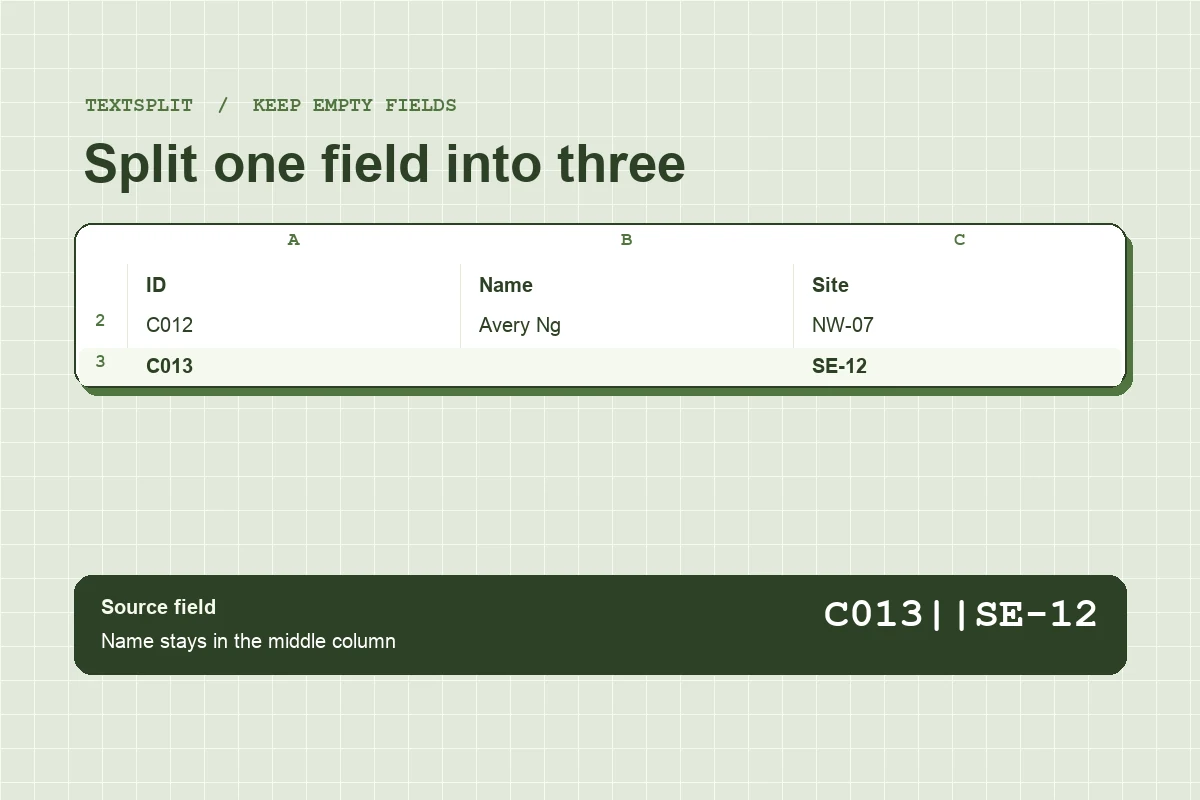
| A3 | C013||SE-12 |
| A4 | C014|Jordan Lee|NE-04 |
| A5 | C015|Sam Ortiz |
See the worksheet diagram
Split each row into three fields
In B2, use the pipe as the column delimiter. Leave the row delimiter argument empty because each input record already occupies its own row. The last argument in this example is ignore_empty. Set it to FALSE so a missing middle field holds its place.
=TEXTSPLIT(A2,"|",,FALSE)Copy the formula from B2 down to B5. The formula in each row writes its results into the cells to its right. For the second record, the two adjacent pipes leave the Name field empty. The Site field still gets SE-12. With ignore_empty set to TRUE, that site code would shift into the Name column.
| ID | Name | Site |
|---|---|---|
| C012 | Avery Ng | NW-07 |
| C013 | SE-12 | |
| C014 | Jordan Lee | NE-04 |
| C015 | Sam Ortiz |
Flag a record with the wrong number of fields
Type this check in E2 and fill it down. A record with exactly two delimiters returns three fields when empty fields are preserved. The second input passes because it has a Name position, even though the name is missing. The final record has only one delimiter and returns Review.
=IF(COLUMNS(TEXTSPLIT(A2,"|",,FALSE))=3,"OK","Review")This checks the shape of a record. If both Name and Site are required, check those fields separately. A row can have three positions and still be incomplete. Review the raw export before filling in the missing data.
Make space for the output and check the delimiter
If the formula shows #SPILL!, check for an existing value or merged cell where the result needs to land. Put the formula outside any Excel table and keep the three result cells clear. To change the formula later, select the first cell of its output, such as B2.
Split on the delimiter supplied by the export. Splitting on spaces would cut Avery Ng into two fields and move the site code over. If a literal pipe can appear in the name itself, request a structured export or use an import method that understands its quoting rules.
Microsoft lists TEXTSPLIT for Microsoft 365, Excel for the web and Excel 2024. If your version lacks it, use an available import or text-splitting tool and verify the empty fields before replacing the source. The TEXTSPLIT lesson lets you check the individual cells and the width of a spilled answer.