
What to be able to hand over
Start with a piece of work you can explain. A small, well-checked budget or event report is a better practice target than a dashboard whose numbers you cannot trace.
- A reproducible coursework workbook
- Keep source data, assumptions and calculations separate, with units and a short explanation.
- A simple research or event summary
- Inspect missing values and document the population before drawing a conclusion from an average or chart.
- An honest portfolio note
- Describe the task and your checks. Label invented records and assisted practice clearly.
Build beyond this course
Match the next skill to the placement or subject you want: accounting concepts, statistics, research methods or business writing. Check each actual internship’s eligibility and required software.
These are suggested learning activities. Match them to the requirements of a specific role.
Work to practise
- Multiply quantities by costs and update an assumption.
- Check that assessment weights sum to one.
- Keep an unreported score separate from an earned zero.
All examples use original synthetic data. Source row numbers and column letters are shown so you can reproduce the formulas.
Plan a club event and a fictional result
Calculate the event cost and the weighted result. Assume these are the only assessment components and all three scores are reported.
USD event expenses; dimensionless assessment weights; scores out of 100.
| Row | A · Item | B · Quantity | C · Cost per unit USD |
|---|---|---|---|
| 2 | Room hours | 3 | 25 |
| 3 | Handouts | 20 | 1.5 |
| 4 | Supplies | 1 | 18 |
| Row | A · Component | B · Weight | C · Score out of 100 |
|---|---|---|---|
| 7 | Quiz | 0.2 | 70 |
| 8 | Report | 0.3 | 80 |
| 9 | Project | 0.5 | 90 |
Worked solution and complete results
Event cost USD · D2
=SUMPRODUCT(B2:B4,C2:C4)Result: 123
Weight check · D7
=SUM(B7:B9)Result: 1
Weighted result out of 100 · D8
=SUMPRODUCT(B7:B9,C7:C9)Result: 83
A mistake to catch
The simple score mean is 80 and ignores the larger project weight. Typing zero for a score not yet reported invents a grading decision.
Correction. Multiply each reported score by its stated weight. For an incomplete set, follow the institution’s actual missing-score policy before reporting a final result.
Read the result
The event budget is USD 123 and the fictional weighted result is 83 out of 100. These weights illustrate a calculation, with no connection to a real grading policy.
Practise the skills in order
- Cell references Read the guide, then open the actual lesson.
- Arithmetic Read the guide, then open the actual lesson.
- Absolute references Read the guide, then open the actual lesson.
- AVERAGE Read the guide, then open the actual lesson.
- Weighted average Read the guide, then open the actual lesson.
- Column and line charts Read the guide, then open the actual lesson.
Begin with column letters and row numbers. Course exercises build spreadsheet habits; they do not guarantee grades, admission or an academic credential.
Start cell-reference practicePay and remote work
Choose a specific job before comparing pay
Student is an audience, not an occupation. Pay varies by actual job, internship, location and contract; there is no single student Excel salary to publish.
Read a remote posting carefully
For a remote internship, verify the hiring country, study-year requirements, supervision, paid hours and time-zone expectations. A remote label alone does not establish worldwide eligibility.
Check the allowed country or state, working hours, employment or contractor status, and the currency and components of the offer. A remote role can still have location restrictions and locally set pay.
One employer example: GitLab’s candidate handbook says to check each listing’s hiring country. Its current compensation policy uses local market data and local-currency ranges. This is an illustration of employer policy, not a claim about every remote job.
Continue in a downloadable workbook
Interview spreadsheet practice
Practise a mixed original work sample covering references, conditional totals, exact lookup and a short report.
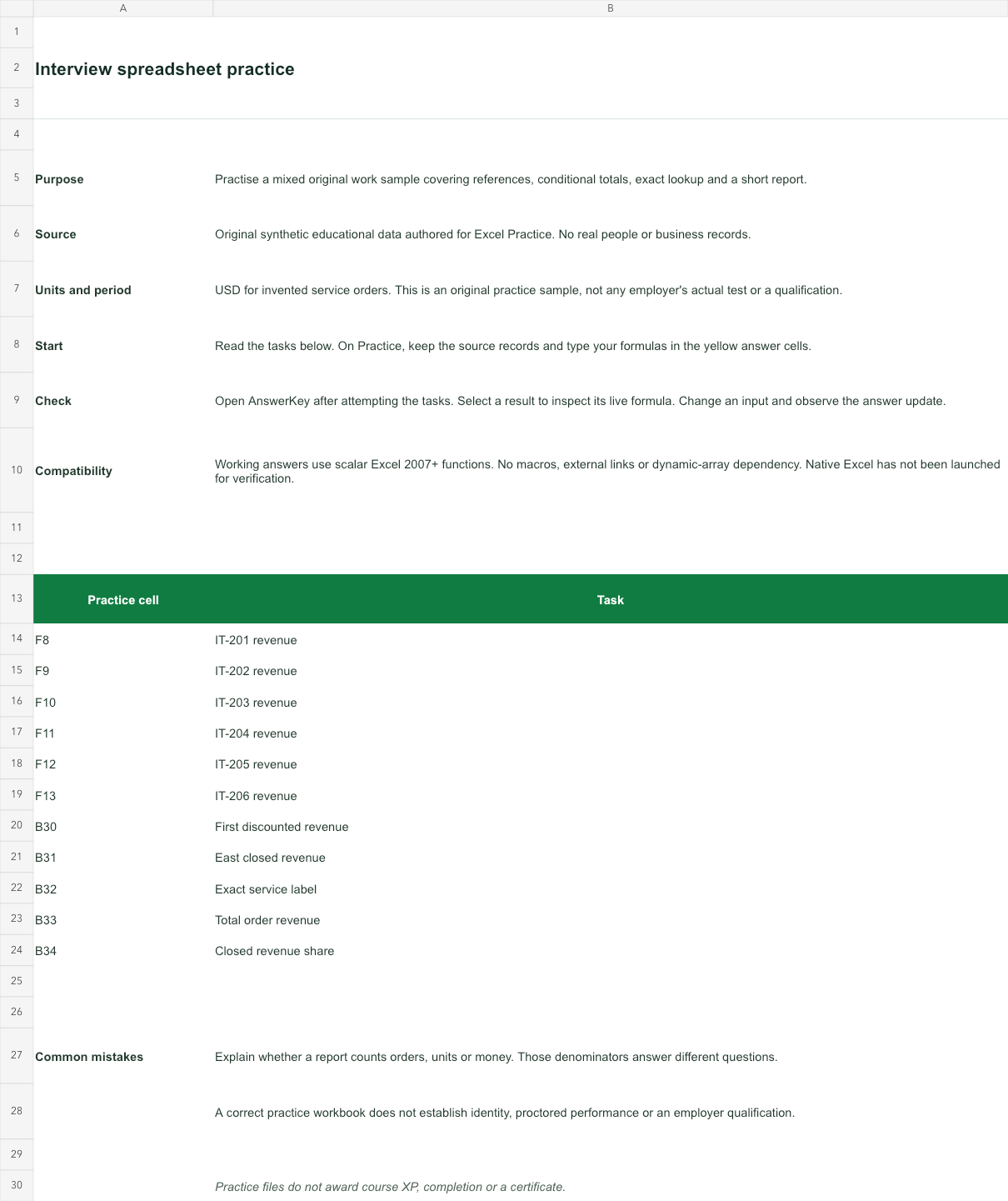
USD for invented service orders. This is an original practice sample, not any employer's actual test or a qualification.
Bank version 2026-11-02. Includes Instructions, Practice, AnswerKey; 11 live answer formulas. All source records are invented for education.
The download is an additional practice task. Its Instructions sheet identifies the source coordinates; this page’s illustrative example may use different records.
- Working answers use scalar Excel 2007+ functions. No macros, external links or dynamic-array dependency. Native Excel has not been launched for verification.