
What to be able to hand over
Administrative spreadsheet work supports reliable handovers. Clean lists, accurate schedules and traceable expense records make small office processes easier to run.
- A usable contact or booking list
- Normalize fields without destroying identifiers, and flag ambiguous records for review.
- An accurate expense summary
- Keep dates, units and receipt references together and check the total against the source.
- A maintained office tracker
- State who updates each field, what a status means and how someone else can find an overdue item.
Build beyond this course
Written communication, calendar management, confidentiality and the employer’s office systems complement Excel. Medical, legal and executive support have additional specialized requirements.
Occupational context: BLS: Secretaries and administrative assistants, except legal, medical, and executive. The handover examples above are our practice suggestions.
Work to practise
- Clean inconsistent organization labels.
- Sort whole bookings by date.
- Total charges and flag an incomplete booking.
All examples use original synthetic data. Source row numbers and column letters are shown so you can reproduce the formulas.
Prepare a room-booking handover
Clean the three labels, total the room charges and check which booking lacks a room.
November 2026 day numbers and USD room charges.
| Row | A · Date in Nov 2026 | B · Organizer | C · Room | D · Charge USD |
|---|---|---|---|---|
| 2 | 14 | " maple GROUP " | Cedar | 90 |
| 3 | 5 | "BAY TEAM" | Elm | 60 |
| 4 | 9 | " iris lab " | 75 |
Worked solution and complete results
Maple label · E2
=PROPER(TRIM(B2))Result: Maple Group
Bay label · E3
=PROPER(TRIM(B3))Result: Bay Team
Iris label · E4
=PROPER(TRIM(B4))Result: Iris Lab
Total room charges · E6
=SUM(D2:D4)Result: 225
Booking completeness · E7
=IF(C4="","Room required","Ready")Result: Room required
Sorted dates and complete records · A2:D4
Sort A1:D4 by column A ascending| Result column 1 | Result column 2 | Result column 3 | Result column 4 |
|---|---|---|---|
| 5 | "BAY TEAM" | Elm | 60 |
| 9 | " iris lab " | 75 | |
| 14 | " maple GROUP " | Cedar | 90 |
A mistake to catch
Sorting the date column alone detaches charges and rooms from their bookings. PROPER also changes acronyms that may need to stay uppercase.
Correction. Sort the full record range with the header. Review the cleaned organization labels against a source of truth before replacing them.
Read the result
The charges total USD 225, while the 9 November booking still lacks a room. A clean label and a correct total do not make that booking ready.
Practise the skills in order
- Text functions Read the guide, then open the actual lesson.
- PROPER Read the guide, then open the actual lesson.
- SUM Read the guide, then open the actual lesson.
- COUNTA Read the guide, then open the actual lesson.
- DATE Read the guide, then open the actual lesson.
- Sort Read the guide, then open the actual lesson.
- Formatting Read the guide, then open the actual lesson.
Browser sorting moves complete records within a bounded worksheet. The downloadable cleanup workbook uses fictional organization labels rather than real contact details.
Practice text cleanupPay and remote work
U.S. pay reference
- Published occupation
- Secretaries and administrative assistants, except legal, medical, and executive
- Median annual wage
- USD 47,540
- Location and period
- United States · May 2025
This general administrative-support subgroup excludes the specialist medical, legal and executive categories. It does not estimate a self-employed virtual assistant’s fees.
These BLS figures cover employees across work arrangements. They are not a remote-only salary, an entry-level offer or an earnings outcome from this course. Median means half earn more and half earn less.
Source: U.S. Bureau of Labor Statistics, Occupational Outlook Handbook. Reviewed . Values are U.S. dollars; no currency conversion is applied.
Read a remote posting carefully
For a virtual or remote assistant role, check required overlap, phone coverage and secure document access. Employee wages and self-employed hourly client fees are different comparisons.
Check the allowed country or state, working hours, employment or contractor status, and the currency and components of the offer. A remote role can still have location restrictions and locally set pay.
One employer example: GitLab’s candidate handbook says to check each listing’s hiring country. Its current compensation policy uses local market data and local-currency ranges. This is an illustration of employer policy, not a claim about every remote job.
Continue in a downloadable workbook
Contact import cleanup
Clean fictional organization fields, split registration codes and convert numeric text while preserving identifiers.
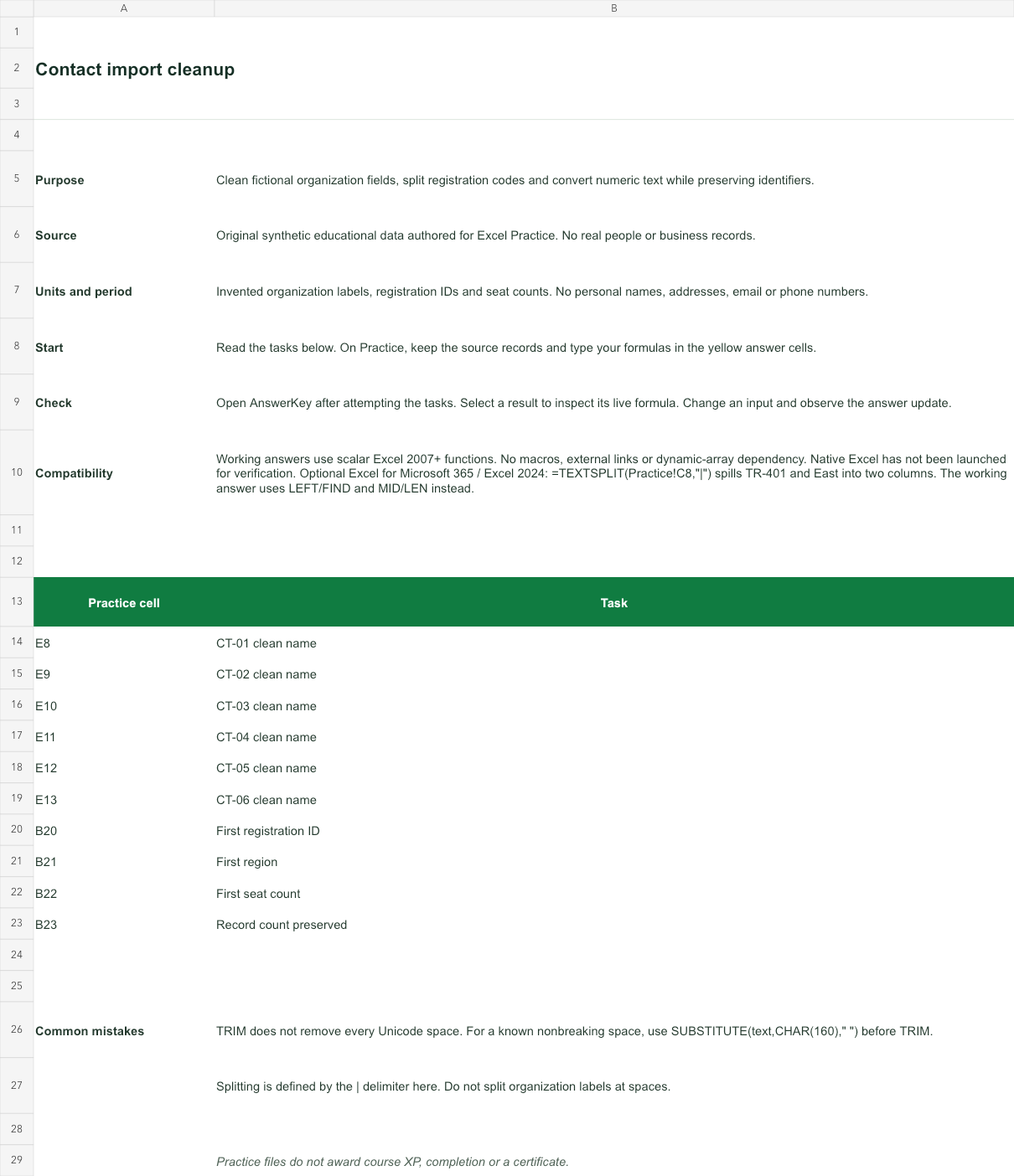
Invented organization labels, registration IDs and seat counts. No personal names, addresses, email or phone numbers.
Bank version 2026-11-02. Includes Instructions, Practice, AnswerKey; 10 live answer formulas. All source records are invented for education.
The download is an additional practice task. Its Instructions sheet identifies the source coordinates; this page’s illustrative example may use different records.
- Working answers use scalar Excel 2007+ functions. No macros, external links or dynamic-array dependency. Native Excel has not been launched for verification.
- Optional Excel for Microsoft 365 / Excel 2024: =TEXTSPLIT(Practice!C8,"|") spills TR-401 and East into two columns. The working answer uses LEFT/FIND and MID/LEN instead.